
Audit shows you who changed a record, what they changed, and when, so you can trace edits without asking around.
Who can see it
You need the Audit role to see the Audit option on the screens that support it. If you don't have this role, ask your Company Admin to assign it.
Running an audit on a record
- Open the record you want to check (for example, a customer record).
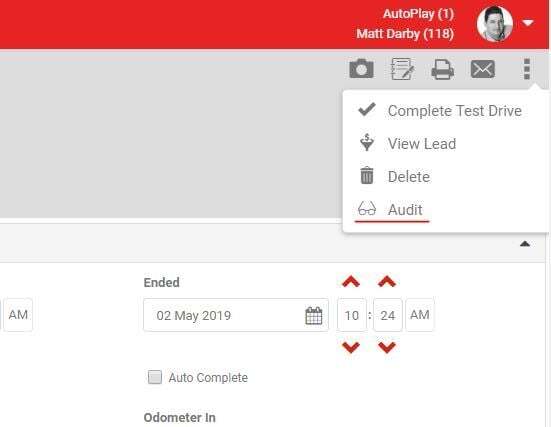
- Open the grey Action Menu, shown below, and select Audit.
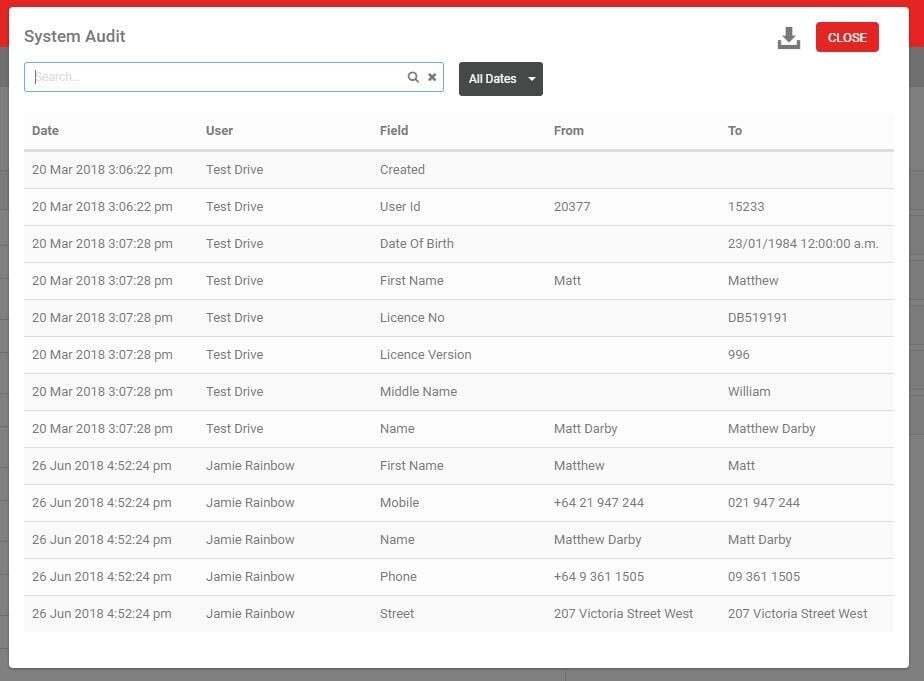
The results depend on the screen you ran the audit from. On a Customer record, Audit lists every field change made to that customer, the user who made it, and the date and time.
Finding a specific change
- Use the keyword search to filter by User, Field Name, From value or To value.
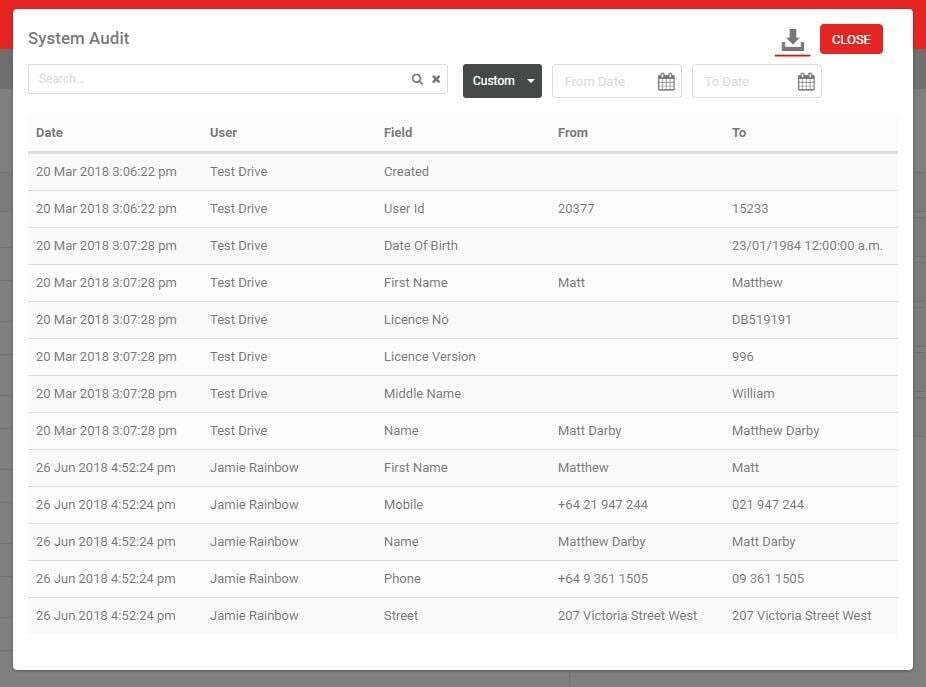
- Use the Date Range drop-down to narrow results, or choose Custom to set your own start and end dates.
- To export the results to Excel, click the export icon shown below.
Audit on list screens
From release 20.11.1, AP1 users and anyone with the Audit role can also run Audit on the Yard List, User List, Role Management List and Lead Management List. Open the 3 dots menu in the top right of each list and select Audit.

You could already audit an individual record on these screens by drilling down into it, and that still works. The list-level Audit adds a single exportable view of every record added, edited or deleted on that list, without opening each one.
Each list-level audit shows:
Yards
- Yard ID
- Yard Name
- Type: Created, Edited or Deleted
- Date and time
User
- User (the user who was edited)
- User ID
- User Name
- Type: Created, Edited or Deleted
- Date and time
- User (the user who made the edit)
Role Management
- Role ID
- Role Name
- Role
- Type: Created, Edited or Deleted
- Date and time
- User
Lead Management
- LM ID
- Type: Created, Edited or Deleted
- Date and time
- User
List-level audit history only covers records created, edited or deleted from 1 December 2020 onward. For detail on field-level or setting-level changes within an individual record, run Audit on that specific record instead.