This article explains how to provision and run Car Analysis by AutoGrab reports in AutoPlay.
This service is only available in Australia.
Car Analysis by AutoGrab is known as "AutoGrab Certificate" in AutoPlay's back-end system. There are two requirements to provision it for a dealer:
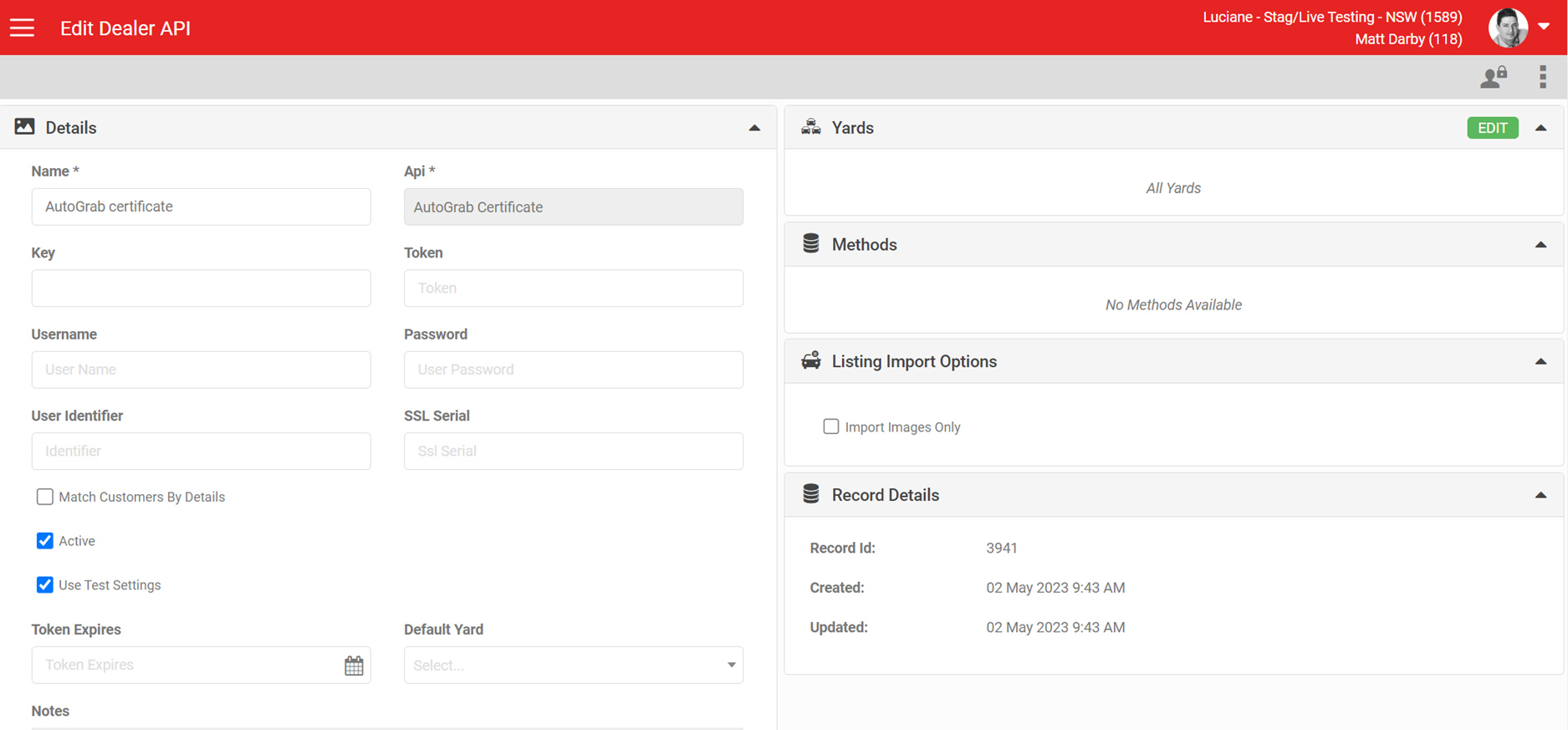
- Provision an API record.
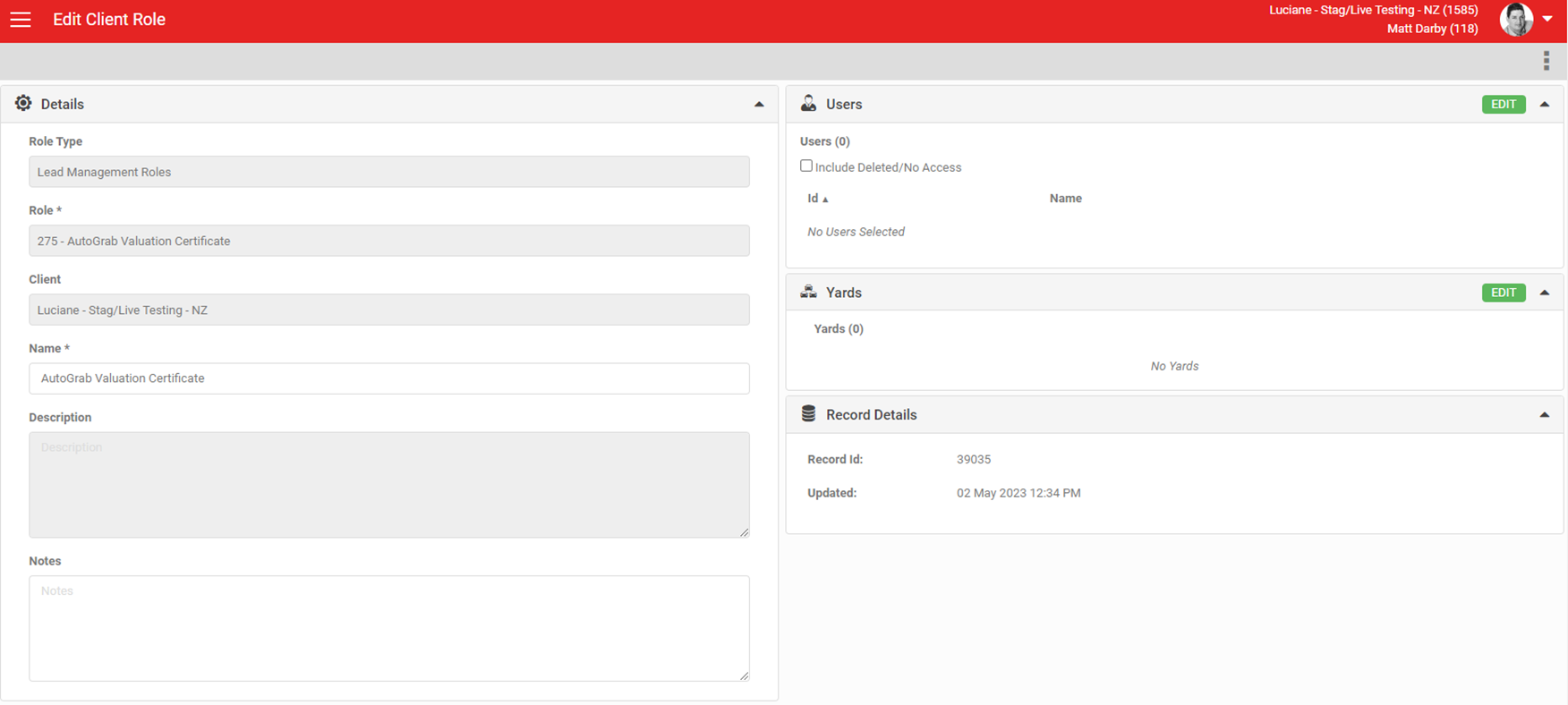
- Provision an AutoGrab Certificate role via Role Management.
To request new AutoGrab API access, contact thomas@autograb.com.au.
Provisioning an API record
To connect to AutoGrab's Certificate API, create an "AutoGrab Certificate" record in the API Management settings for the dealership account and set it to Active. The API for Car Analysis reports is the AutoGrab Certificates API. You need a unique key from AutoGrab for each individual dealer for Car Analysis and Vehicle Certificate API connections.
You also need a key and token for the AutoGrab Valuations API, which runs the Appraisal Valuation as part of the AutoGrab Car Analysis lookup.
Provisioning the role
The role 'AutoGrab Valuation Certificate' is Yard and User based, and must be provisioned before a user can run AutoGrab Valuation Certificates (also called Car Analysis Reports).
If the Appraisal is on a lead, the yard is selected automatically. If it is not, you need to specify the yard on the Appraisal Form.
The role has no manager concept. Once active, any user with the role can run Car Analysis Reports. If they can view an Appraisal, they can also view existing Car Analysis Reports for it.
Running a Car Analysis report
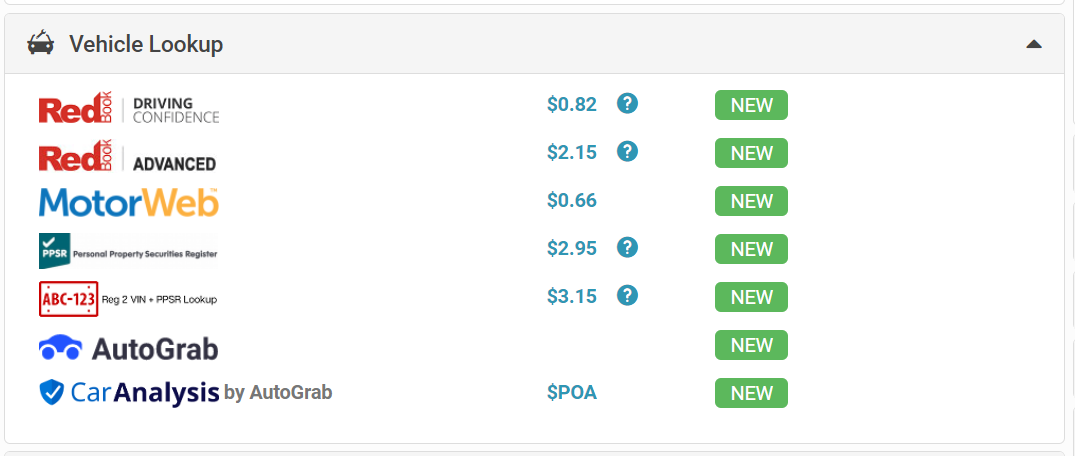
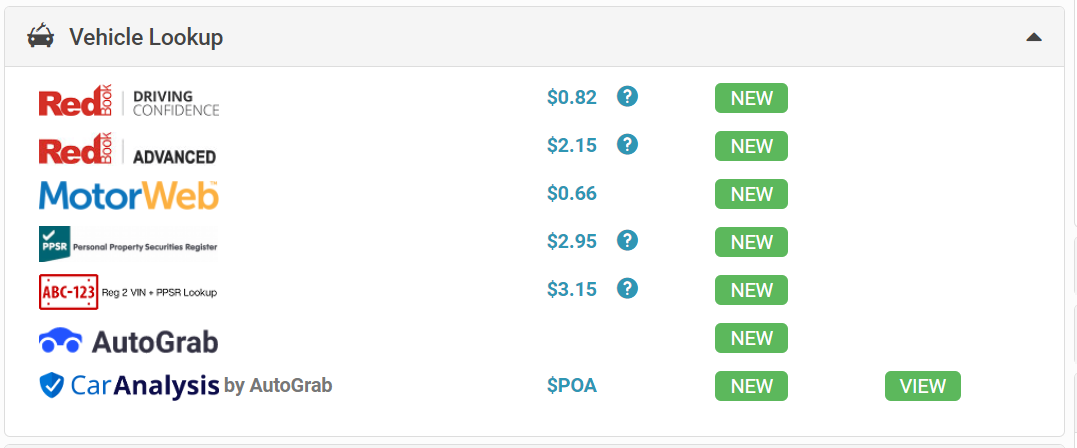
Once both the role and the API record are provisioned, a new option appears in the Appraisal Form, in the Vehicle Lookup section, showing the 'Car Analysis by AutoGrab' logo. This service carries a charge. Contact AutoPlay to find out the current cost.
Running the report requires the Rego State, Odometer (KM) and Overall Condition (1, below average; 2, fair condition; 3, average; 4, great; 5, perfect).
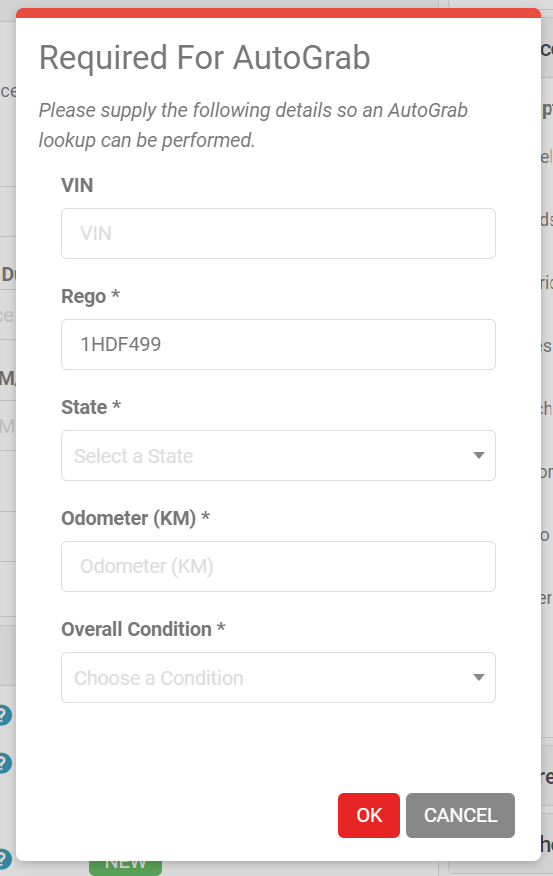
Click OK once you have entered the details to proceed with your Car Analysis report. To return a Car Analysis report, AutoGrab first needs to run a valuation, which is why the VIN, Odometer and Vehicle Condition are required before you can run the report.
If you have already run a report for this vehicle, you can choose to reuse the existing record or run a new one to refresh the details.
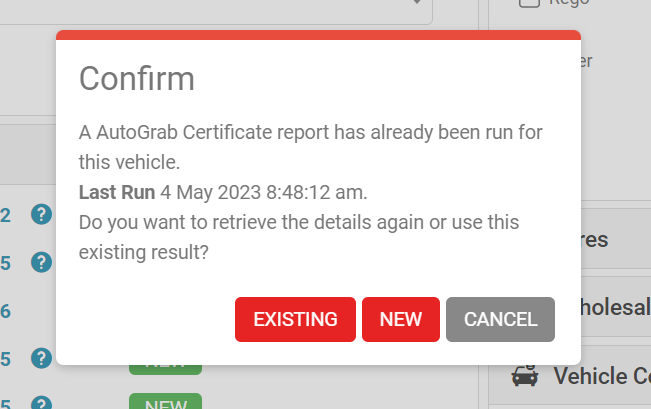
This report requires AutoGrab to render a Car Analysis and PPSR PDF, so it can take 10 to 20 seconds or more to run.
What updates when the report runs
Once the report runs successfully, it updates any blank fields in AutoPlay that the Car Analysis API returns:
- Body Type
- Colour
- Make
- Model
- Rego
- Rego State
- Year
- Has Safety Recalls (true or false)
- Has Secured Parties (true or false)
- Has Stolen Records (true or false)
- Has Written Off Records (true or false)
Safety Recalls, Secured Parties, Stolen Records and Written Off Records display in a new 'Warnings' section on the Appraisal Form. If the Car Analysis Report does not flag any warnings, this section does not appear.
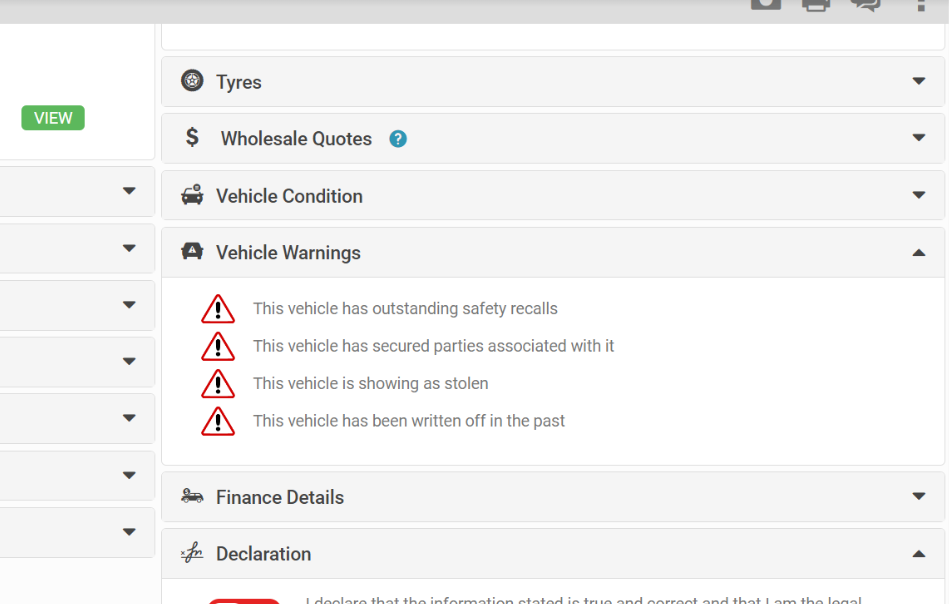
What the report contains
Along with the data returned, Car Analysis by AutoGrab also returns a PDF made up of two documents:
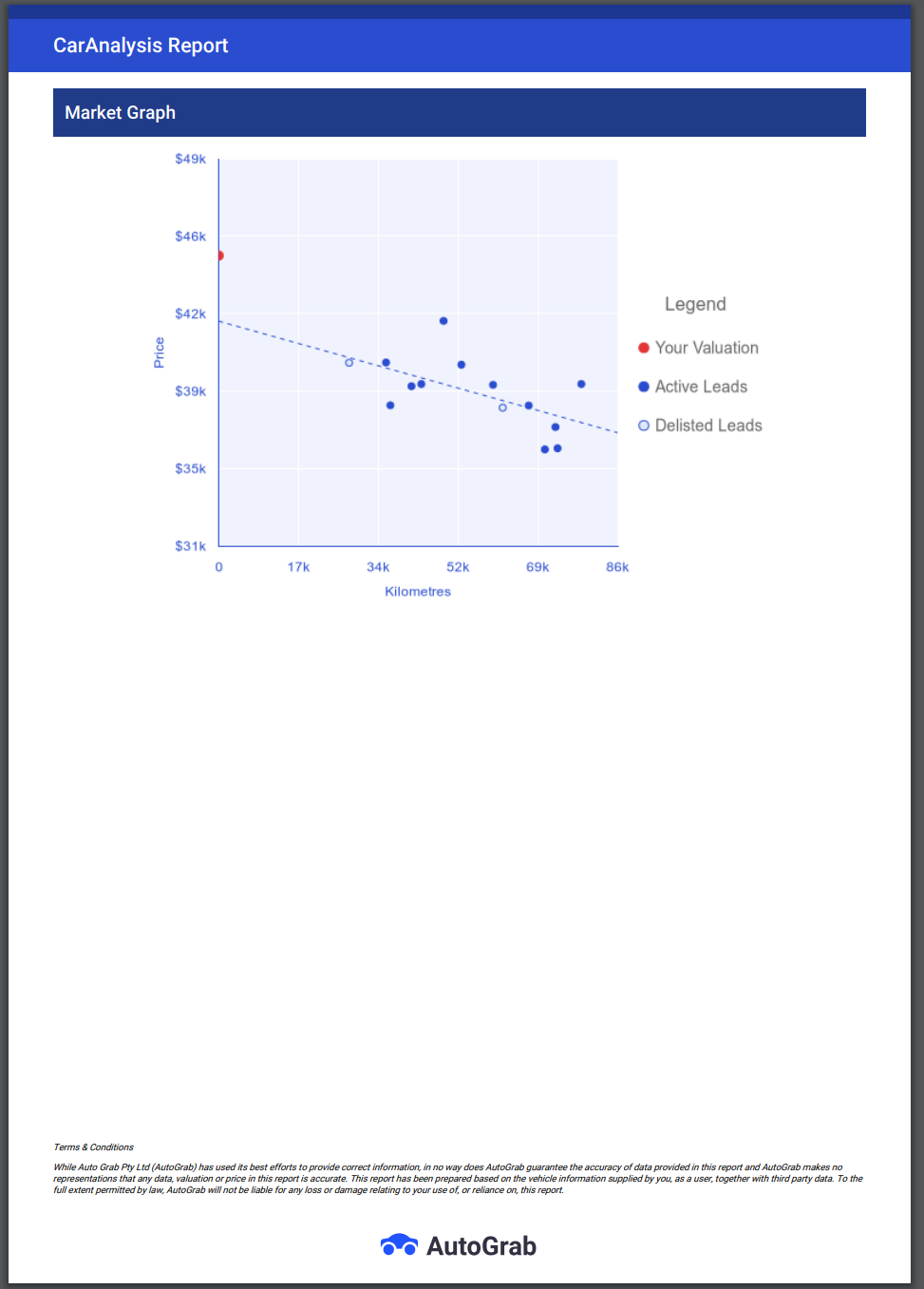
- AutoGrab Car Analysis Report: showing valuation details, warnings about the vehicle, vehicle specs and details, safety ratings, and a market graph on value.
- PPSR: a PPSR search appended to the Car Analysis PDF.
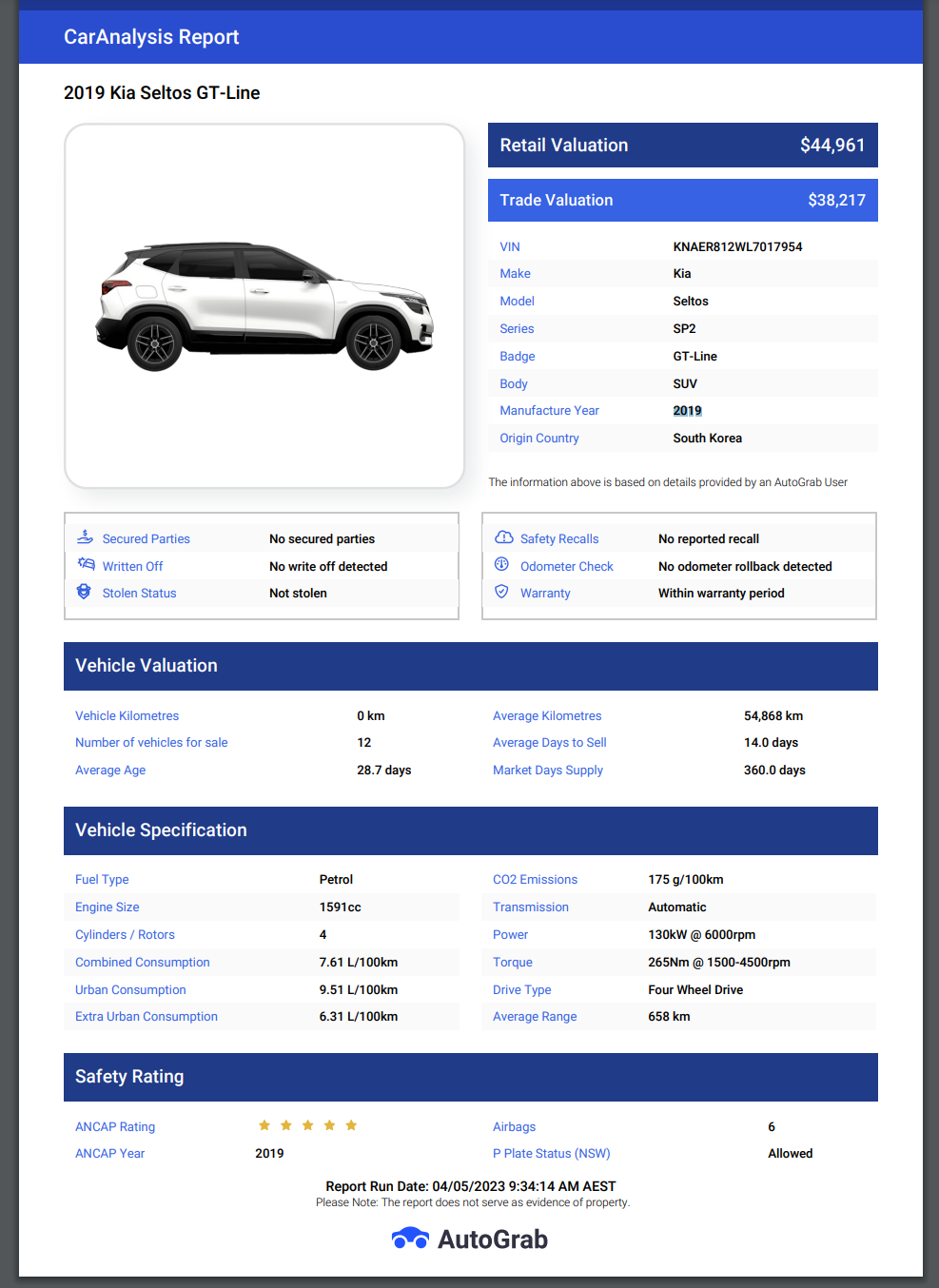
You can view a previously generated PDF using the VIEW button. To run a new report, use the NEW button.
Billing and reporting
AutoGrab charges AutoPlay for Car Analysis vehicle certificates on a monthly basis. AutoPlay then invoices dealers based on usage.
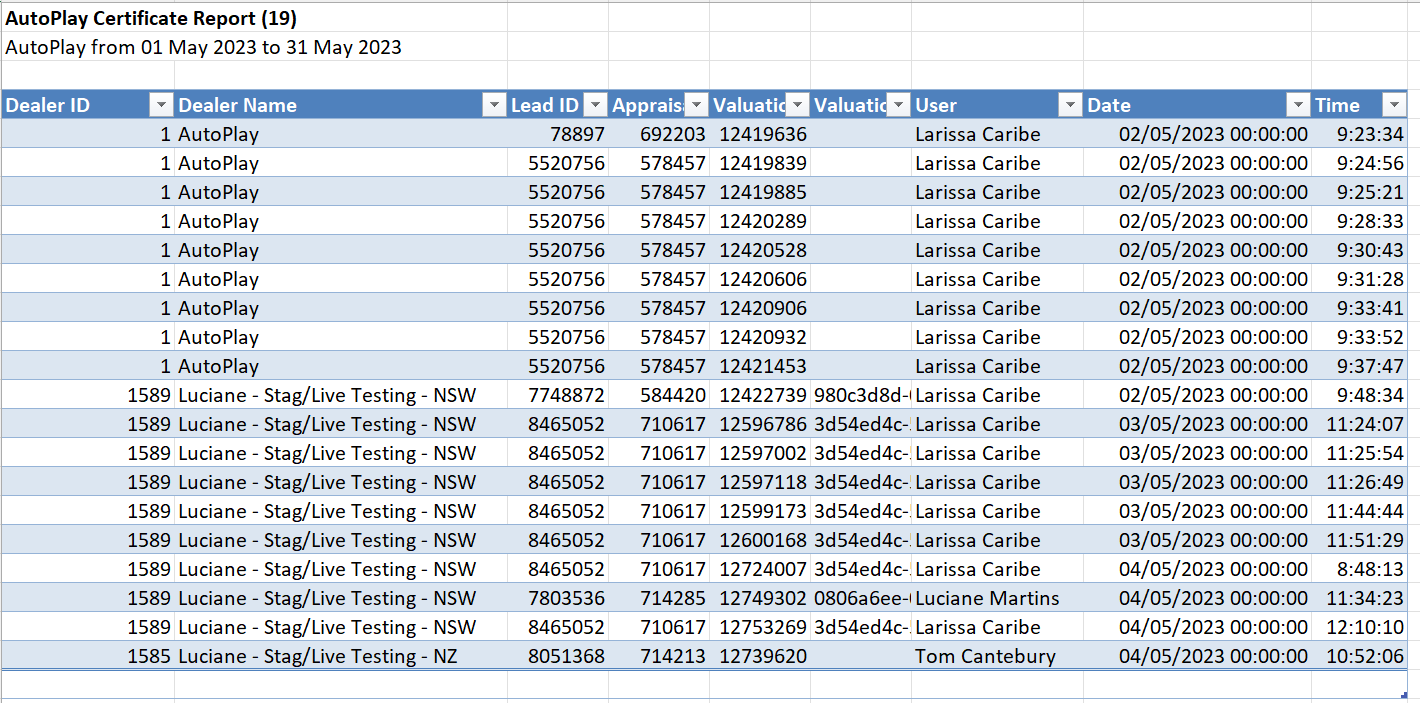
This usage is controlled by a Scheduled Report, ID175, called 'AutoGrab Valuation Certificate'. It is sent monthly to the Australian AutoPlay team for invoicing. This function is only available to AutoPlay users, though on-demand runs are possible between the normal monthly cycle if needed.
When you provision a new dealer for Car Analysis, they are automatically picked up in the AutoGrab Certificate Report.
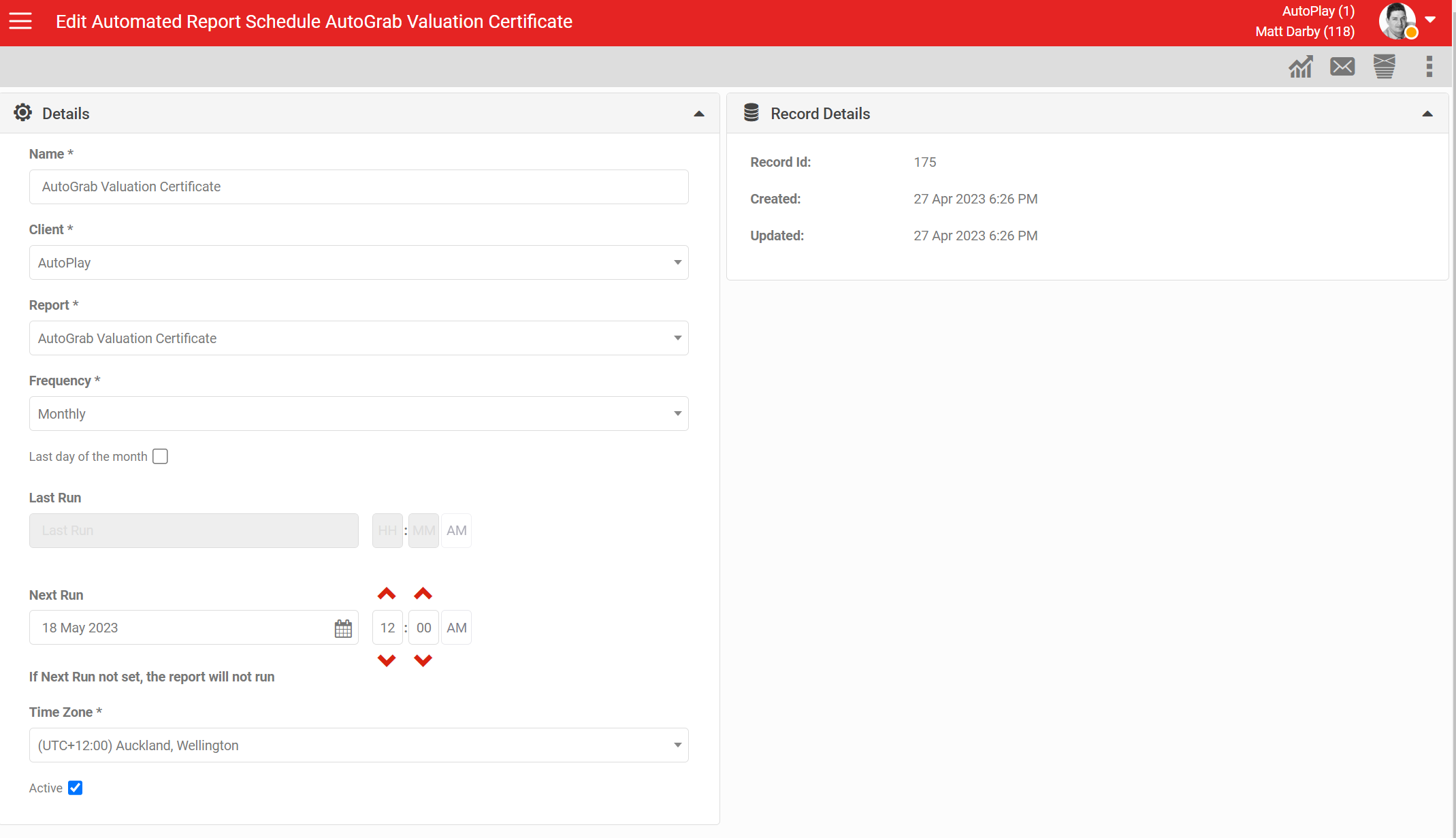
To run an on-demand report, click the 'Reporting' icon in the top right of the Scheduled Reports screen, then click the 'Run Report To Me' icon (shown as a single envelope) in the top right of the detail screen. This emails a report to the logged-in user with an Excel attachment showing the Car Analysis Reports.