
AutoPlay uses an automatic matching process to try to match an incoming lead to an existing contact whenever a lead is captured electronically. The rules apply to:
- Leads from API sources
- Leads from email sources
- Leads from internal Lead Allocation
Since the 22.10.1 release, an account can apply a stricter matching policy above the default rules. If a contact does not match this stricter rule, matching falls back to the default workflow described in the guide below.
Download: Contact_Matching_Guide.pdf
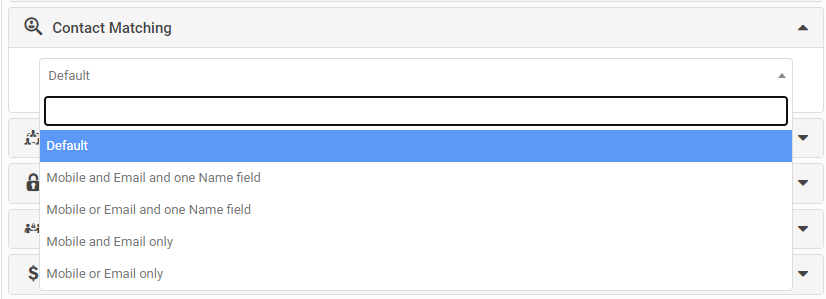
A new option in My Company settings lets you place an account-level rule above the default contact matching rules. By default, the existing rules apply unless you set one of the following:
- Mobile and email and one name field (name includes company name)
- Mobile or email and one name field (name includes company name)
- Mobile and email only
- Mobile or email only
Contact matching also drives the Possible Duplicate Lead warning and the Match Leads To Similar Leads setting.