
When a test drive finishes, mark the Test Drive Form as complete and check the vehicle back into stock. This keeps the Vehicle Registry accurate for every other user.
Find the Test Drive Form to complete in one of two ways:
- Go to Listings > Vehicle Registry and search for the vehicle (see How To Use The Vehicle Registry for more).
- Go to the lead on the Dashboard and open the Test Drive Form directly.
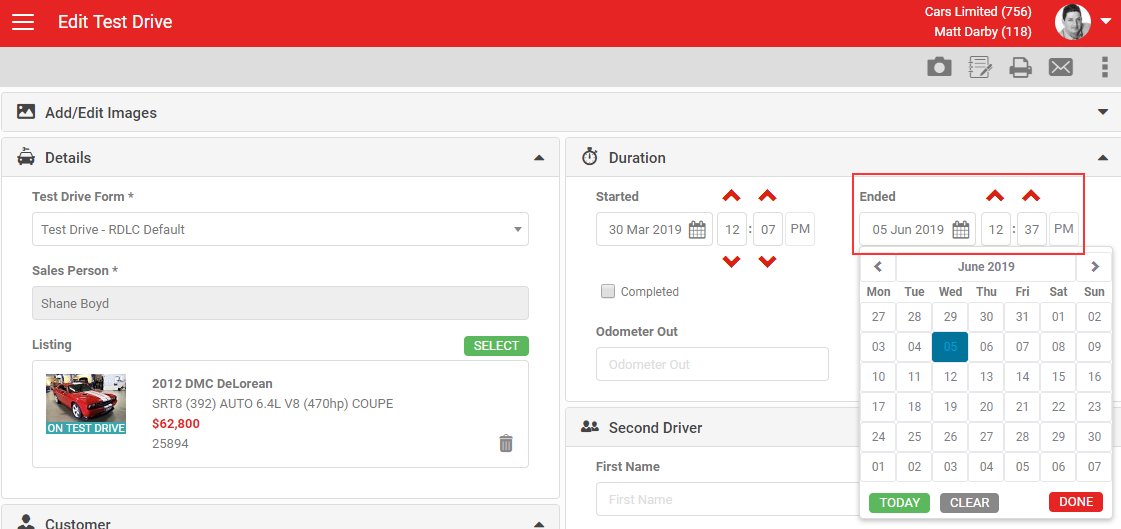
If you ticked Auto Complete when you created the form, it completes automatically once the scheduled end date/time passes. If not, you need to check the vehicle back in yourself, in one of two ways.
Tick the Completed checkbox
Ticking Completed applies today's date and the current time as the end date/time. Click Save to keep the change.
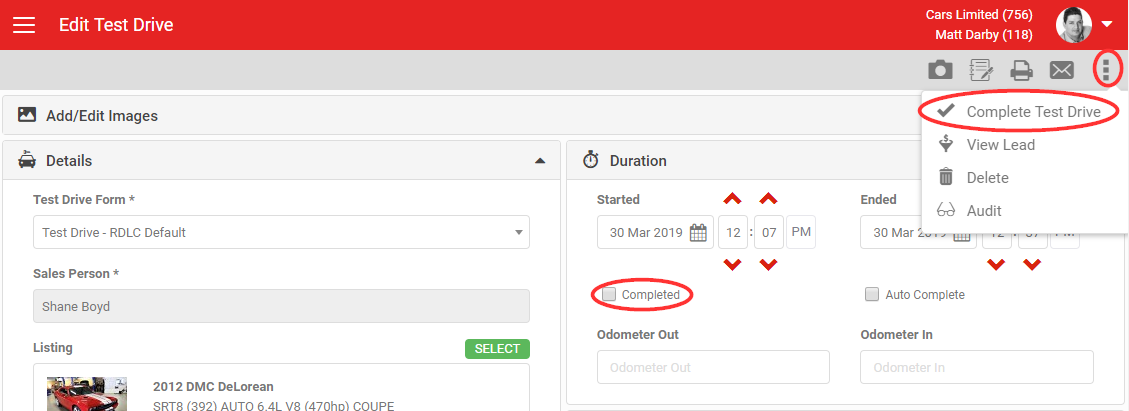
Use Complete Test Drive
Click Complete Test Drive in the MORE section of the grey action menu. This ticks Completed and sets the end date/time to now. If an end date/time is already set, you'll be asked whether to update it.
You can enter an end date/time in the past to record when the vehicle was actually returned, but it cannot be earlier than the start time. Entering an end time by itself does not complete the form. You still need to complete it using one of the methods above.
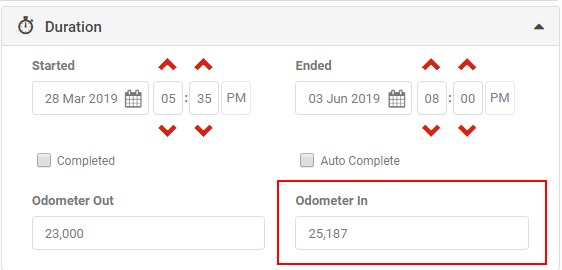
When you check the vehicle back in, you can record the Odometer In reading in the Duration section of the form.
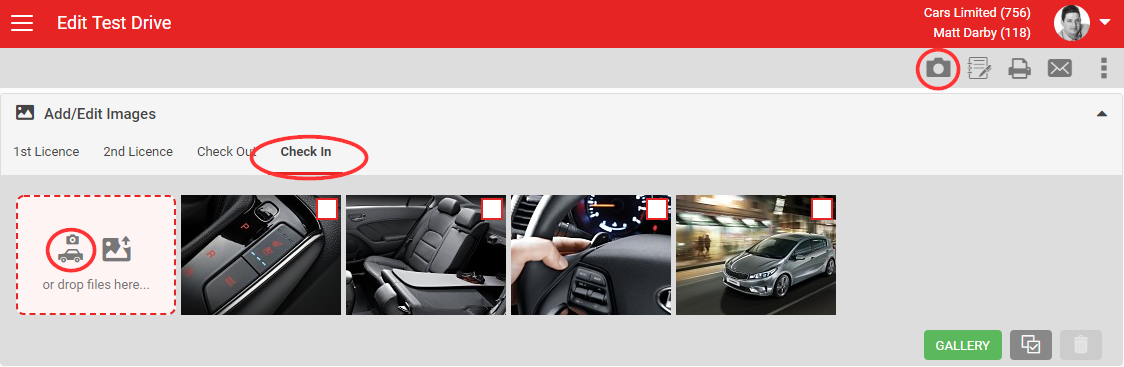
It's good practice to photograph the vehicle's condition both before the loan (Condition Out) and on return (Condition In). Open the Images section, select the Condition In tab, and take photos using either camera icon.
What you should see
Once you complete a Test Drive Form the vehicle is checked back into stock. On the Vehicle Registry screen, the form appears when you filter to Completed test drives, and the "ON TEST DRIVE" banner is removed from the listing everywhere it appears.
To create a new Test Drive Form, see How To Create A Test Drive Form.
Account settings
Two configurable options help fit this process to your dealership's workflow:
- Disable Auto Complete: removes the Auto Complete checkbox from every Test Drive Form.
- Default to Auto Complete: ticks Auto Complete by default on new Test Drive Forms. If Disable Auto Complete is also set, it overrides this.