
Overview
Accounts can create and save their own Closed Lost reasons. These can be set to exclude the lead from Analytics Reporting once closed.
Provisioning
To see this menu item, a user must be set up as a manager in the Lead Manager Admin role.
Find Custom Closed Lost Reasons at Settings > Sales Pipeline Settings > Closed Lost Reasons.
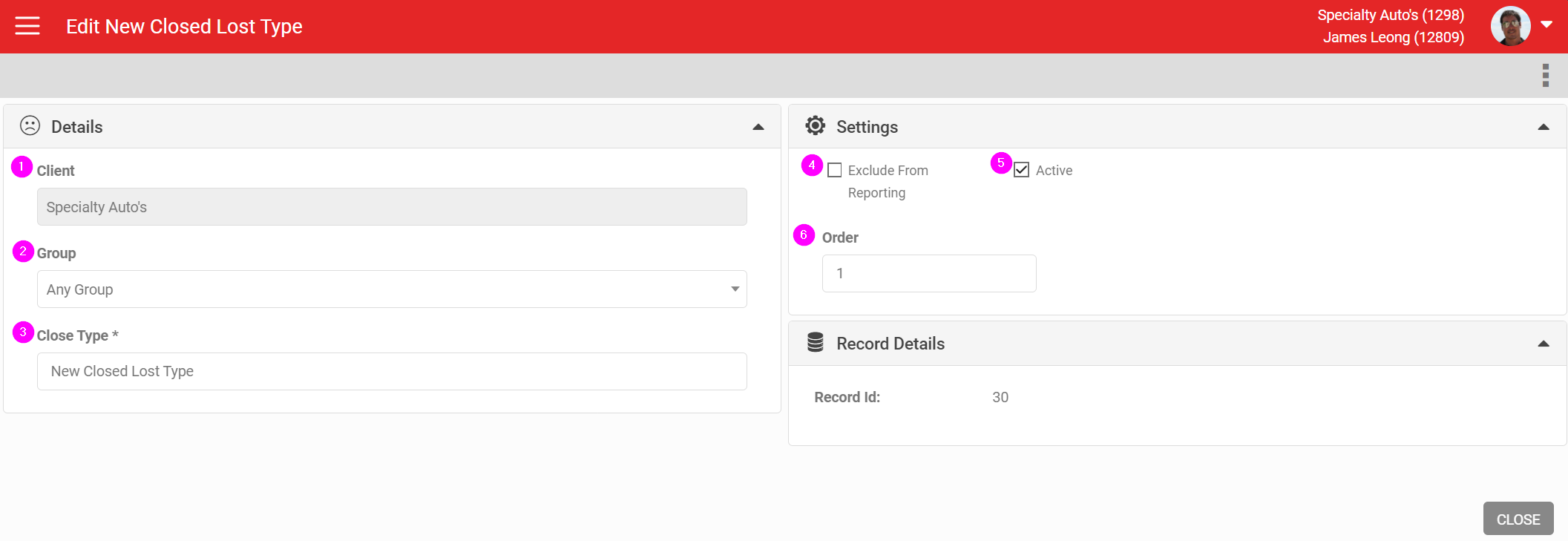
- Account to create the reason in
- Group to create the reason for
- Name of the closed reason
- Tick to exclude these leads from Analytics Reporting
- Active or inactive
- Order to display the reason
Note
Closed Lost is a lead outcome, separate from the pipeline stage a lead was in when it closed. A lead can be marked Closed Lost from any stage in the Sales Pipeline.
Closed Lost is a lead outcome, separate from the pipeline stage a lead was in when it closed. A lead can be marked Closed Lost from any stage in the Sales Pipeline.