
AutoPlay can trigger a Customer Radar survey automatically whenever a lead reaches Closed Won or Closed Lost, so customer feedback goes out without a salesperson having to remember to send it.
Prerequisites
- You are already a Customer Radar customer. If not, contact Customer Radar directly on support@customerradar.com to set up an account first.
- You want this enabled on your AutoPlay account. Email support@autoplay.co.nz to request it.
There is no AutoPlay commercial charge to enable this integration.
Setting up the integration
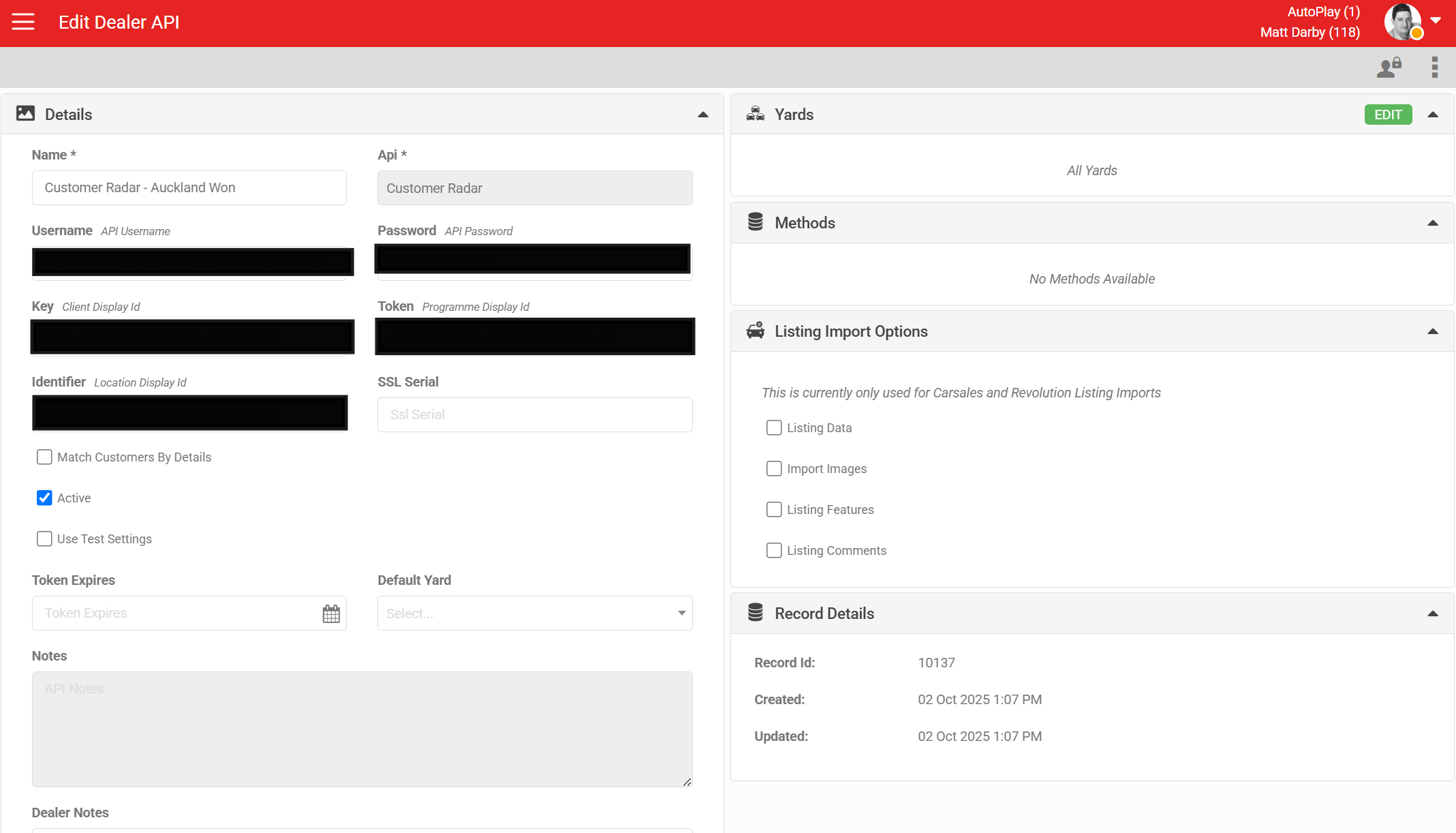
Once you have requested the integration, AutoPlay support sets up an API record. This can cover selected yards or your whole account. The API record holds five values, each with a different name on the Customer Radar side:
- User Name: called API Username by Customer Radar. Every AutoPlay client uses the same API Username.
- Password: called API Password by Customer Radar. Every AutoPlay client uses the same API Password.
- Key: called Client Display ID by Customer Radar.
- Token: called Programme Display ID by Customer Radar.
- Identifier: called Location Display ID by Customer Radar.
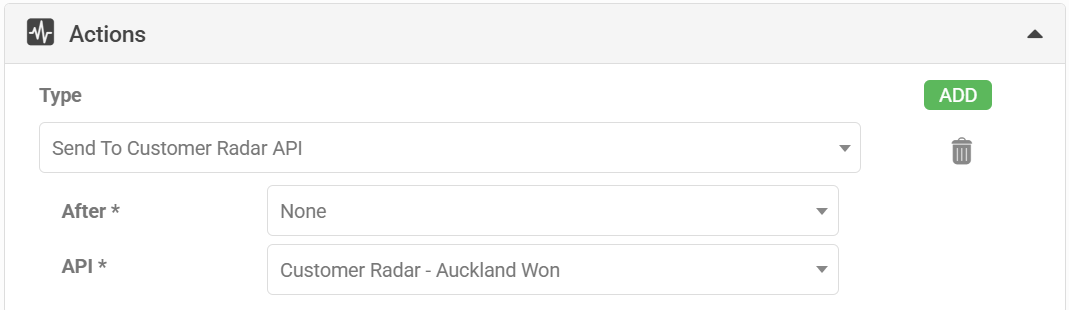
Next, an Automation record needs to be active, using the same yards as the API record. The Automation is normally set to trigger on Closed Won/Sold or Closed Lost, though it can run on any lead-based trigger, with filters applied if you want it more specific. Set the Automation type to Send To Customer Radar API, and select the API record you set up above.
What happens when a lead triggers the integration
When a lead meets the conditions in the Automation, AutoPlay sends a request to the Customer Radar API. If Customer Radar has the customer's survey programme provisioned on their side, they send the customer an email inviting them to complete the survey.
The survey email always comes from Customer Radar, not AutoPlay. AutoPlay only triggers the request through the Customer Radar API, so we have no control over the email template or delivery.
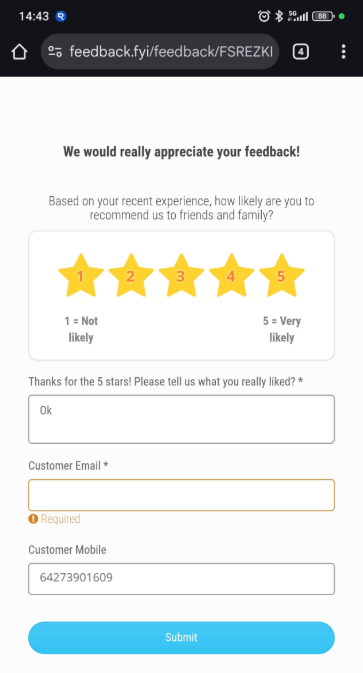
The questions the customer sees depend on which Customer Radar service the dealership is signed up to.
What AutoPlay sends
Every request is logged under System Admin > Logs > API Logs > Customer Radar (AutoPlay staff only). The payload sent to Customer Radar includes the customer's email, mobile, first and last name, the AutoPlay lead ID and contact ID, the assigned consultant, the vehicle's rego, and the vehicle make. All values below are examples, not real customer data.
{
  "Url": "https://api.feedback.fyi/invitation",
  "Data": {
    "clientDisplayId": "XXXXXXX",
    "programmeDisplayId": "XXXXXXX",
    "sendData": [
      {
        "email": "customer@example.com",
        "mobile": "",
        "firstName": "Sam",
        "lastName": "Example",
        "locationDisplayId": "XXXXXXX",
        "metadata": [
          { "key": "email", "value": "customer@example.com" },
          { "key": "mobile", "value": "" },
          { "key": "name", "value": "Sam Example" },
          { "key": "lead_id", "value": "11492207" },
          { "key": "contact_id", "value": "19962320" },
          { "key": "consultant", "value": "Consultant Name" },
          { "key": "rego", "value": "EXM001" },
          { "key": "vehicle_make", "value": "Honda" }
        ]
      }
    ]
  }
}Because AutoPlay sends customer data to Customer Radar on your behalf, we need a completed Data Authority Agreement (DAA) before switching this on. Email the completed form to support@autoplay.co.nz.