
Copy an existing listing to save time re-entering details for a similar vehicle.
Steps
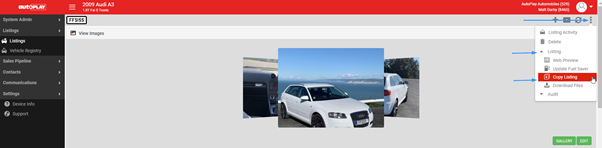
- Open the listing you want to copy.
- Click the three dots, then Listing, then Copy Listing.
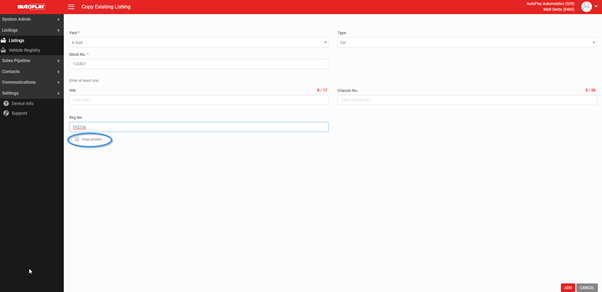
- Select the yard the new listing will appear in.
- Enter a unique Stock No.
- Enter the Reg No.
- Tick Copy photos if you want the same photos carried across to the new listing.
- Click ADD.
- Complete any other relevant information on the new listing.
- Click SAVE.
You can copy any existing listing this way, whether it is current, sold or on hold.