If you can't qualify a lead to a listing, create a Wishlist Form instead. This lets you enter the type of vehicle the customer wants, so AutoPlay can match it against existing listings or appraisals in the dealership.
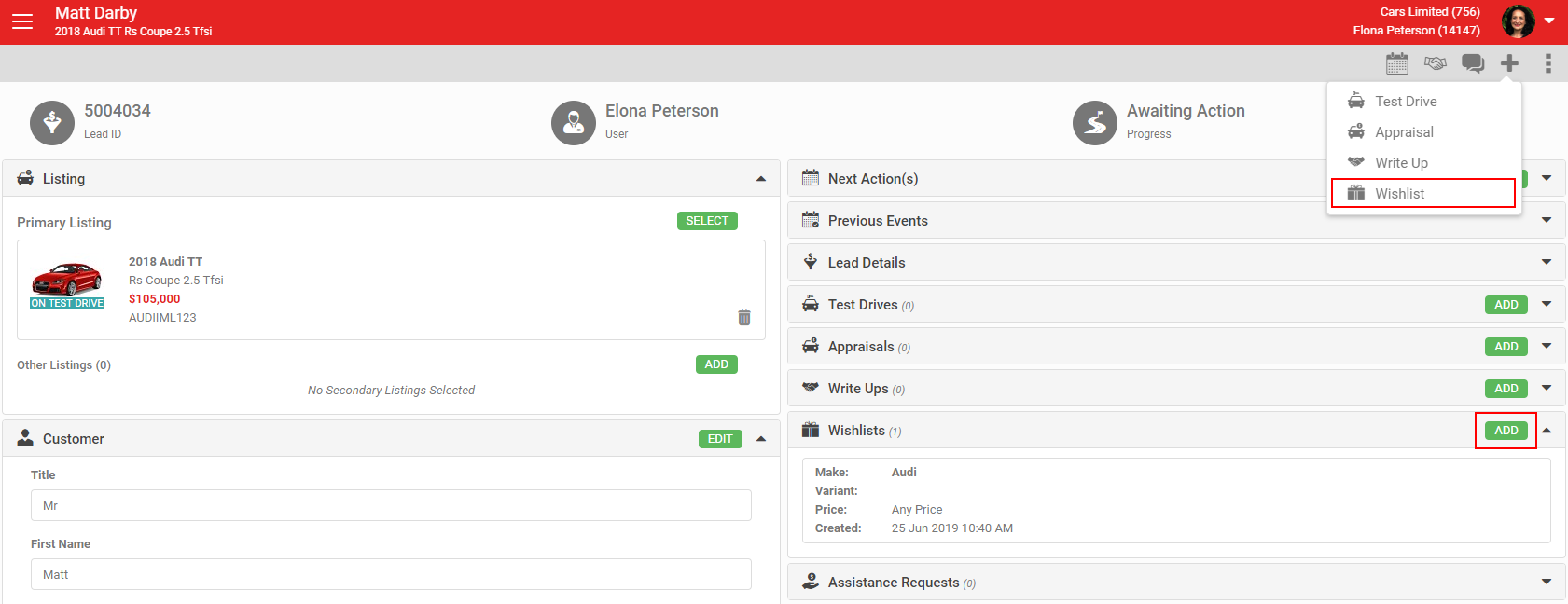
Create a Wishlist Form from a lead's + icon in the grey action menu by selecting Wishlist, or click Add in the Wishlist section.
Enter the type of vehicle the customer is interested in using the Specifications and Miscellaneous sections. Be as specific or as broad as the customer needs.
Specifications
Select at least one field so there's something to match against:
- Make (multiple selections optional)
- Model (multiple selections optional)
- Variant (free text, must be an exact match)
- Body Type (multiple selections optional)
- Transmission (free text, must be an exact match)
- Drive (free text, must be an exact match)
- Fuel Type (free text, must be an exact match)
- 7 Seater (checkbox, matches only where this is ticked on the listing or appraisal)
Since the 21.6.1 release, Make, Model and Body Type support multiple selections on a single Wishlist Form.
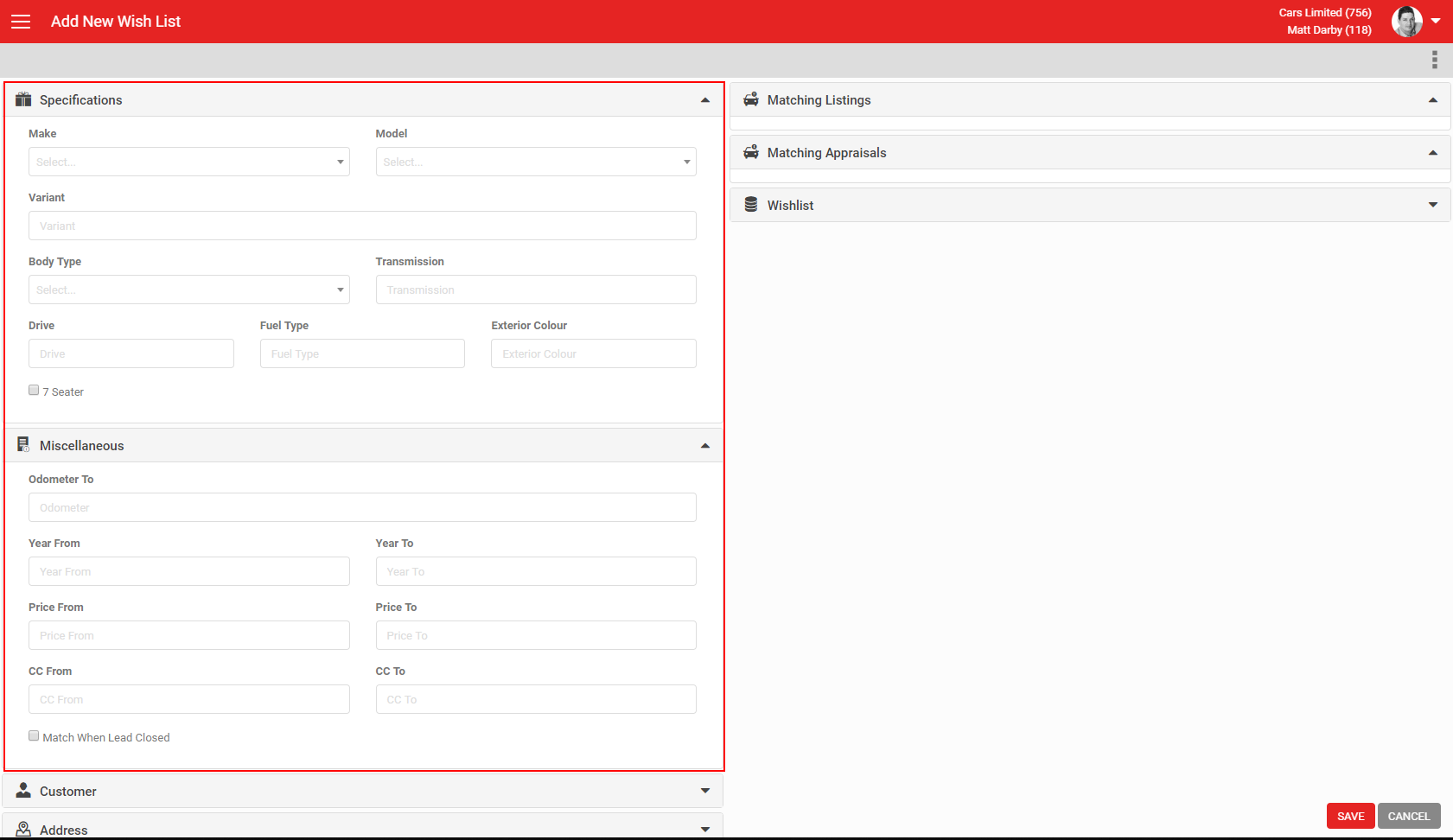
Miscellaneous
None of these fields are required if you don't need to be specific:
- Odometer To: the maximum kilometres or miles the customer wants.
- Year From and Year To: an age range for matching vehicles. Year To can't be earlier than Year From. You can enter just one to match anything older or younger than that value.
- Price From and Price To: a price range. Matches use the lower of Price and Special Price for listings, and the Adjusted Trade In Offer for appraisals. Price To can't be lower than Price From. You can enter just one.
- CC From and CC To: an engine size range. CC To can't be lower than CC From. You can enter just one.
- Match when lead closed: unticked by default. If ticked, returns appraisals on leads that are already Closed Lost or Closed Won.
Click Save to create the Wishlist Form. AutoPlayAuto.com then runs a matching routine automatically, checking for listings or appraisals that match your criteria every three hours.
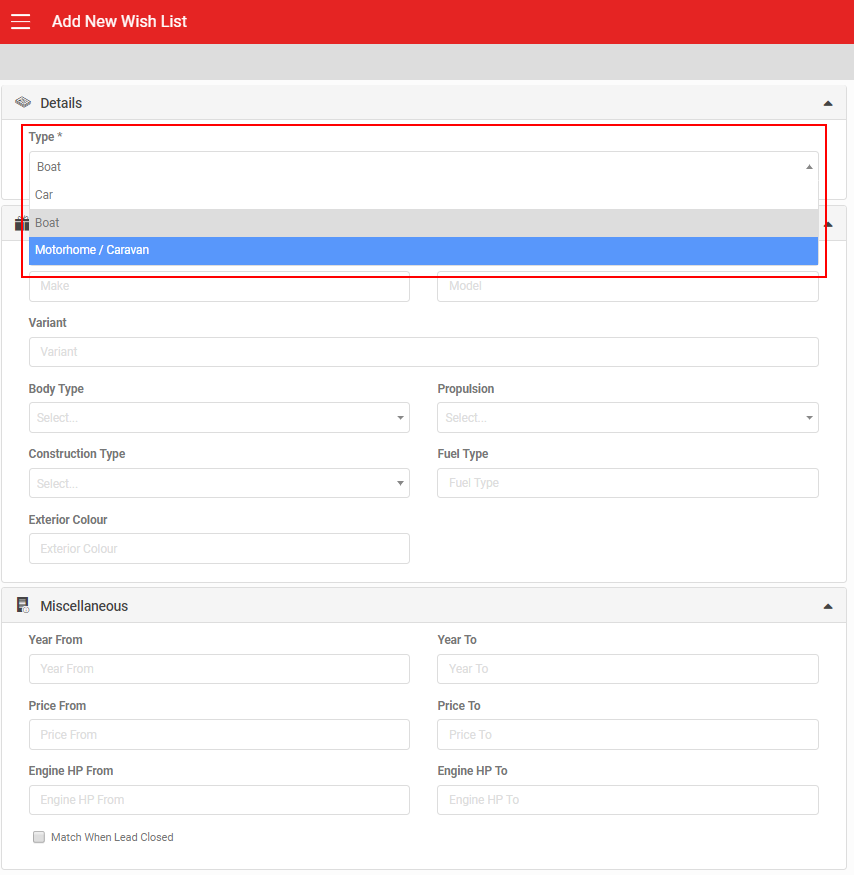
For a Wishlist on a boat or motorhome/caravan, change the Type field to suit. This changes the available fields, for example adding Propulsion and Engine HP for boats, or switching Make/Model to free text instead of the car make/model lists.