
Manage, search and filter your inventory from the Listings screen.
Finding your way around Listings
- The number of listings you have access to shows in brackets next to the Listings header.
- By default you see 25 listings per page, adjustable to 10 or 50.
- Use the page controls at the bottom right to move between pages.
- A banner under the listing image shows if a vehicle is on Promotion or Test Drive.
- If your user setting defaults to a specific yard, listings show for that yard first, sorted by Created Date.
- Click any column title to sort ascending or descending.
- Use Keyword search to search by Year, Make, Model, Rego No, Stock No, Price, Body Type, Transmission, Drive, Fuel Type, Features and Comments.
- Click the filter icon to expand your filter options.
Filter options
All Options
- Condition (New, Used, Demo, Leased)
- ORC (Included, Excluded)
- Manual Load (Yes, No)
- Trade Me (Yes, No)
- Specials (Yes, No)
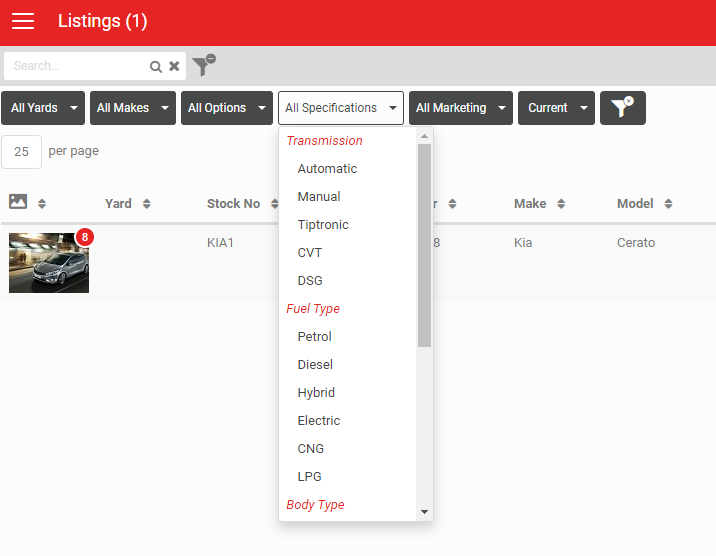
Specifications
- Transmission (Automatic, Manual, Tiptronic)
- Fuel Type (Petrol, Diesel, Hybrid, Electric, CNG, LPG)
- Body Type (Coach, Convertible, Coupe Hatchback, Station Wagon, Sedan, SUV, Truck, Utility, Van)
If your listings include a specialist category such as Motorhome, extra filters specific to that category appear too (for example, a Berth filter and Motorhome-specific Body Type options).
Note
Filters need an exact match to work. Searching Fuel Type = Petrol will not match a Comments field that says "2 litre Petrol".
Filters need an exact match to work. Searching Fuel Type = Petrol will not match a Comments field that says "2 litre Petrol".
All Marketing
- Video (Branded, Voiceover, Professional, None)
- Subtitles (Yes, No)
- Comments (Yes, No)
- Features (Yes, No)
- Incomplete (Yes, No)
- Images (Has Images, No Images)
- Special (Has Special Price, No Special Price, Marked as Special, Not Marked as Special)
Creating forms from a listing
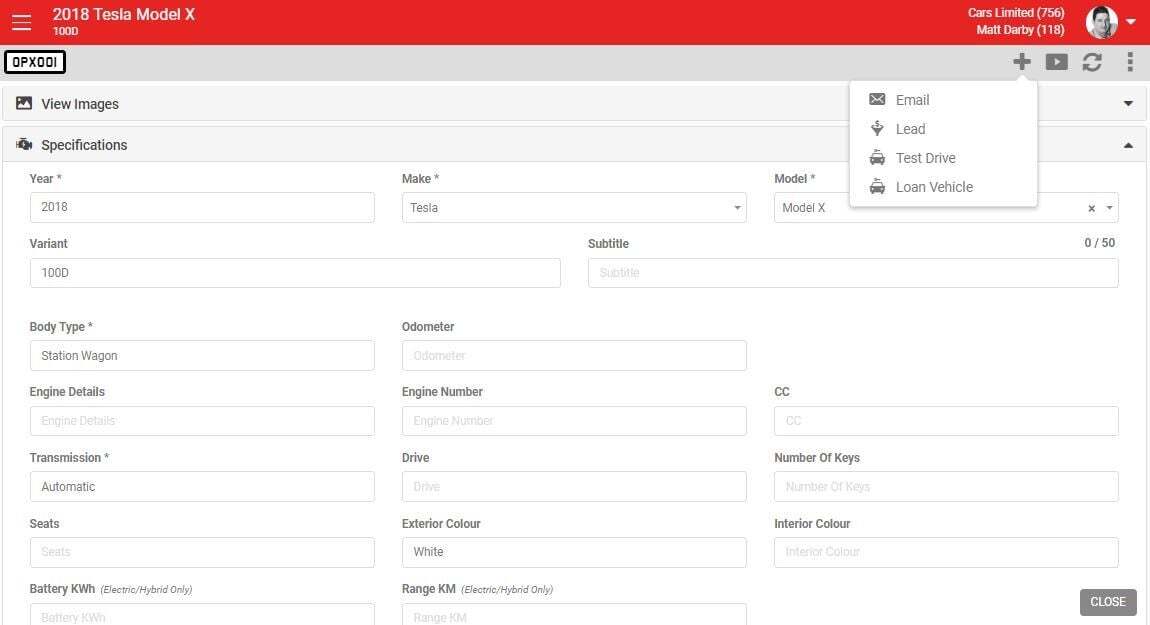
Use the + create menu on a listing to start an Email, Lead, Test Drive or Loan Car form. The vehicle is already populated on the new form.
More menu
The Download icon on the more menu lets you download the results currently on screen as a PDF or Excel file.