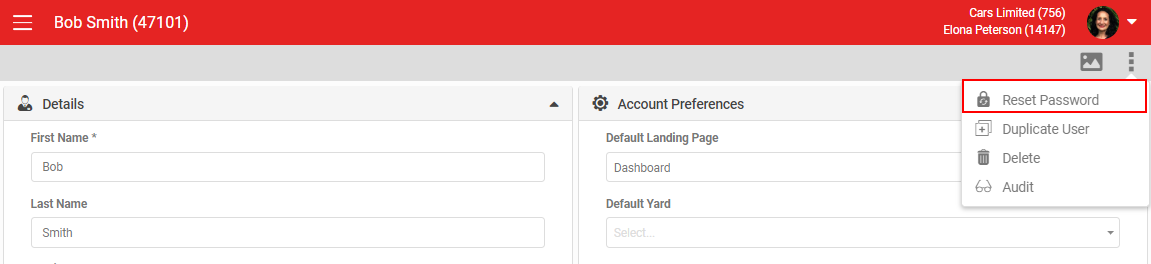
This article shows you how to reset your AutoPlay login password, either yourself from the login page or as a manager resetting it for another user.
Watch the video: How to reset my login password
Reset your own password
If you forget your password for AutoPlayAuto.com, reset it from the login page.
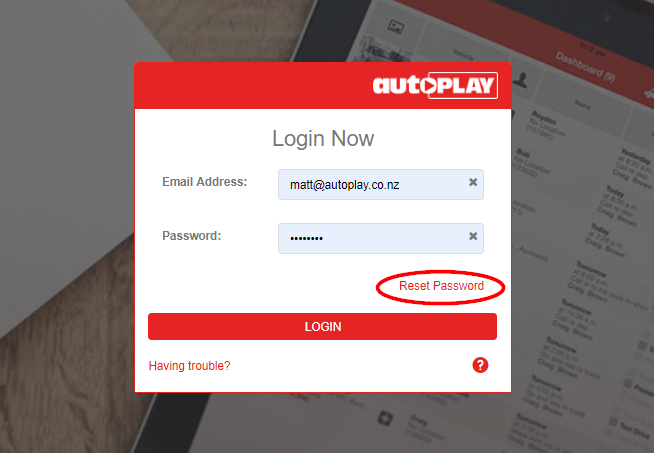
- Go to https://www.autoplayauto.com/ and enter your email address.
- Click Reset Password.
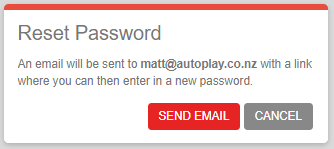
A dialogue box asks you to confirm the reset. This sends an email to the address you entered. Click Send Email to proceed.
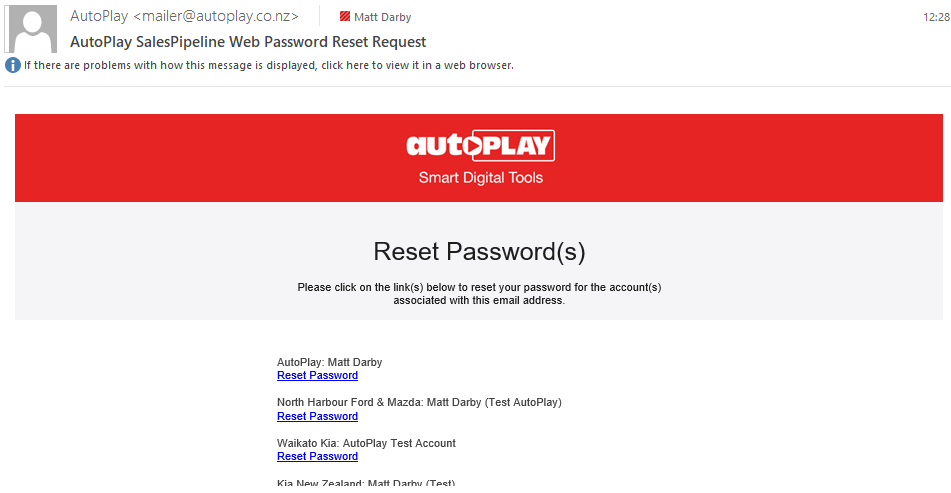
You'll receive a password reset email with a link to reset your password. If the same email address is used on multiple accounts, you'll see a separate reset link for each account.
Click a Reset Password link to open the reset page. Your new password must be at least 8 characters, with one uppercase letter, one lowercase letter and one number. A counter on the right of the password field shows how many characters you've entered.
A strength gauge below the password field shows how strong your password is. Once it meets the required standard, enter it again in Confirm Password and the Save button activates.
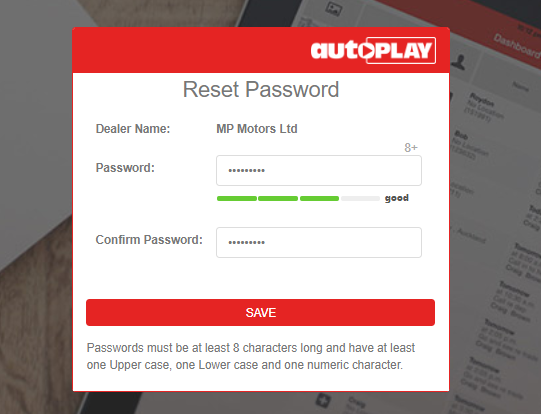
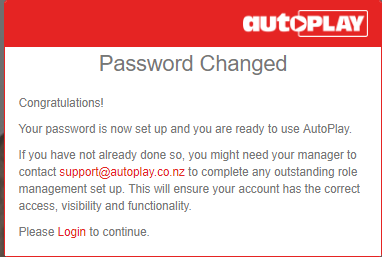
Click Save. You'll see a success message. Click Login to return to the login page.
Every account must be linked to an email address. Anyone with the User Admin role can create a new user. See How to add a new user for the steps.
Reset a password for another user
If you have the User Admin role, you can trigger a password reset email for another user from within AutoPlayAuto.com.
- Find the user and open their details.
- Click Reset Password in the grey action menu.
This sends a reset email to the address set up for that user. For security reasons, you cannot send a password reset email for another user's account to your own email address.