
What this article helps you do
Keep your lead list clear of overdue and stalled leads, so your Dashboard only shows what needs action now.
How the Dashboard decides what to show you
By default, the Dashboard shows leads with actions due "Now +/- 3 Days", so you are always looking at what needs doing today. You can customise this to show any date range, or switch it to use the lead's Created Date instead of its action date. Read How To Set Your Sales Pipeline Preferences for the full walkthrough.
Find overdue and stalled leads
When viewing by Action Date, use the Date Range filter to show Overdue leads (3 to 20 days overdue) and Stalled leads (21 days or more overdue).
A lead becomes Overdue when either of these is true:
- It has been more than 3 days since the lead was created or last updated, and there is no calendar event scheduled.
- It has been more than 3 days since the scheduled calendar event, and that event is still incomplete.
The system calculates the "Action" date in one of three ways, depending on what is on the lead:
- If an incomplete calendar event exists, it uses the date and time of the oldest incomplete event.
- If all events are completed and none are incomplete, it uses the lead's Updated Date.
- If there are no events at all, it uses the lead's Updated Date.
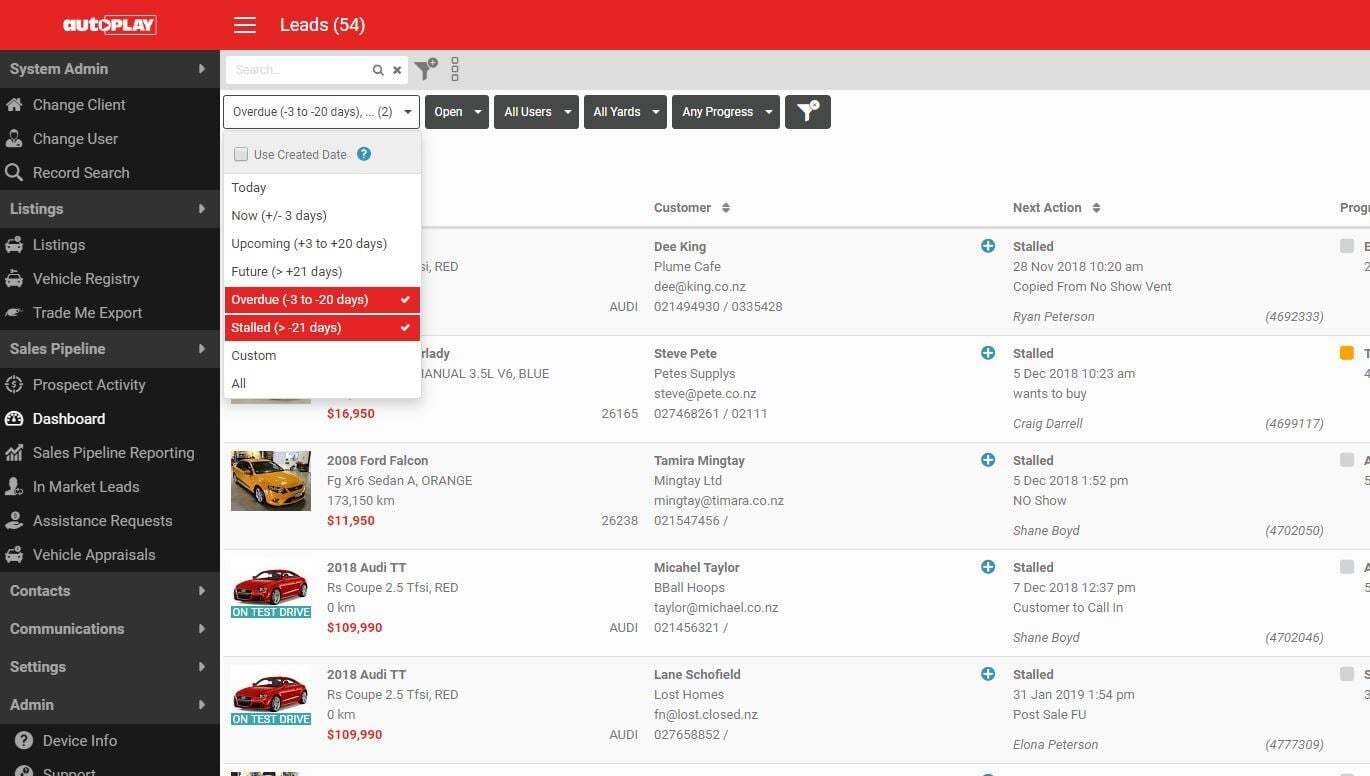
Aim for zero overdue or stalled leads. It is one of the strongest signs of good lead management.
Ways to clear an overdue or stalled lead
1. Reschedule
Reschedule the calendar event, duplicate an existing event, or create a new one. Read How To Reschedule Calendar Events for the steps.
2. Close Lost
Leaving leads open clogs your team's Dashboard and makes it harder to manage what is actually live. Closing a lead as lost does not mean the sale is necessarily gone for good. Once closed, filter to these leads using the Status and Progress filters on the Dashboard. Read How To Close A Lead As Lost for the steps.
3. Retarget with Live Leads
Live Leads lets you build an audience of Overdue and Stalled leads, whether they are Open or Closed Lost, and retarget them with video emails. Read How To Create A Live Leads Email to set this up.
4. Recommunicate with a video response
The Email Response tool lets salespeople send a personalised video email to a lead. If a lead has gone Overdue or Stalled and you are not ready to move it into a bulk campaign, a video response is a quick way to reconnect. Read How To Create Email Response for the steps.