In Market Leads matches new or price-dropped listings against leads you have already captured, so you can spot a buyer for stock you already have.
Watch the video for a walkthrough of In Market Leads matching.
What you can do with In Market Leads
- Set up In Market Leads access for the users who need it.
- Match buyers automatically against your current stock.
- Set your In Market Leads preferences to control what gets matched.
Related articles
- How to set up In Market Leads access
- Buyer matching with In Market Leads
- How to set up In Market Leads preferences
In Market Leads also matches appraisals
In Market Leads also matches potential buyers against appraisals, not just listings you have in stock. This means a trade-in you have appraised but not yet listed can still surface a match.
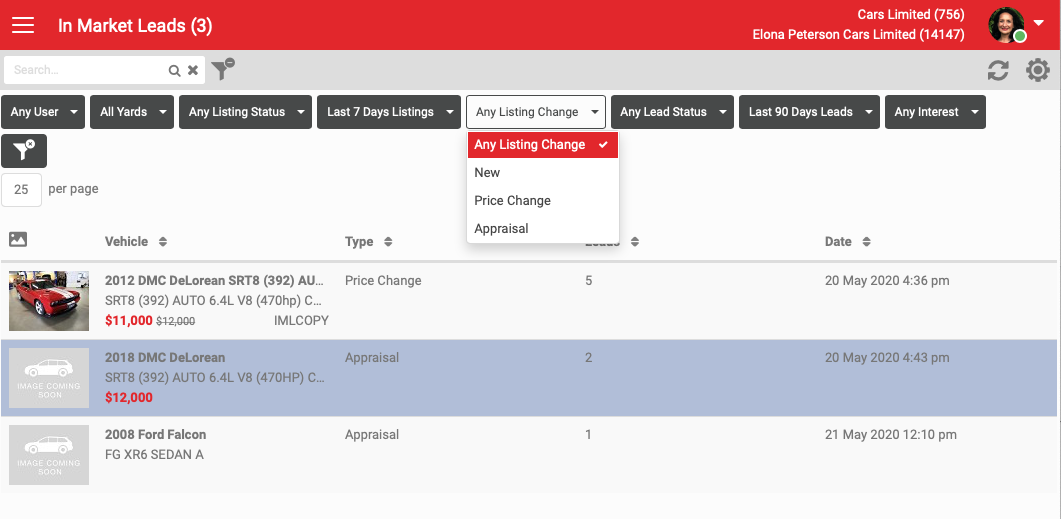
On the In Market Leads dashboard, look for the Appraisal option under Listing Change type.
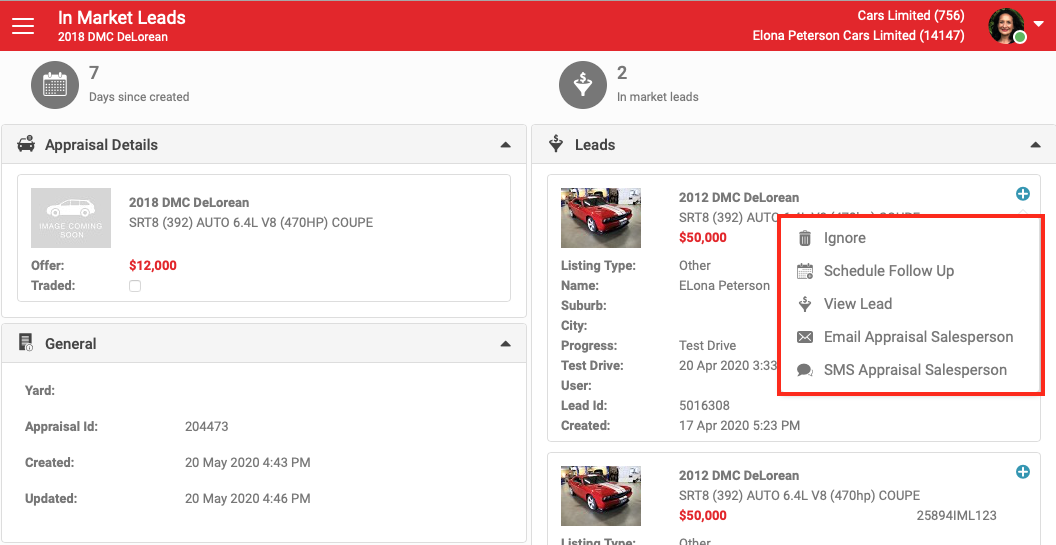
When you open a record with an appraisal match, you can:
- Ignore it.
- Schedule a follow-up, or view the lead.
- Contact the salesperson who owns the appraisal, by email or SMS.
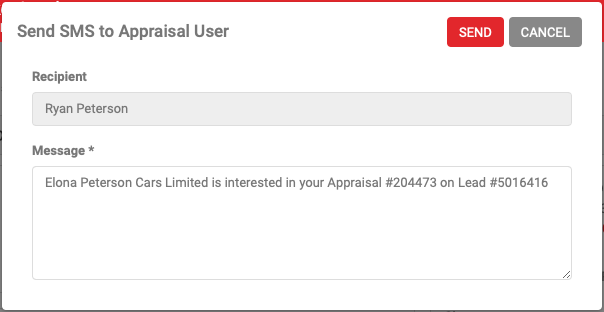
Here is an example of the message sent to the salesperson who owns the appraisal.