This article helps you create and manage Standard Text records for use in email and SMS responses.
Overview
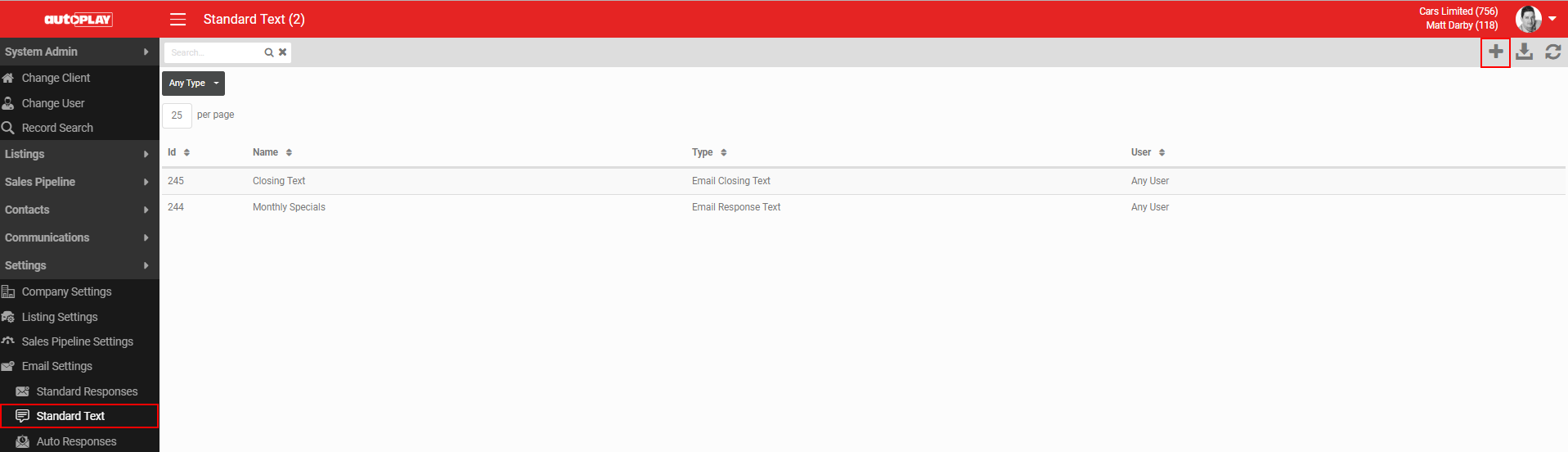
Standard Text is managed via Settings > Email Settings > Standard Text. The screen is visible to all users in the dealer account, and access is controlled by the Manage Leads, Manage Emails, Email Campaign or Company Admin roles.
- If you are not a manager, you see only your own Standard Text.
- If you are a manager, you see the Standard Text for every user you manage.
Search the Standard Text screen by keyword (Title and ID). Click a record to open and modify it. Click the Download icon in the grey action menu to download a list of all Standard Text records.
Create a Standard Text record
Click the + button in the grey action menu to create a new record.
You must complete the Name and Text fields as a minimum.
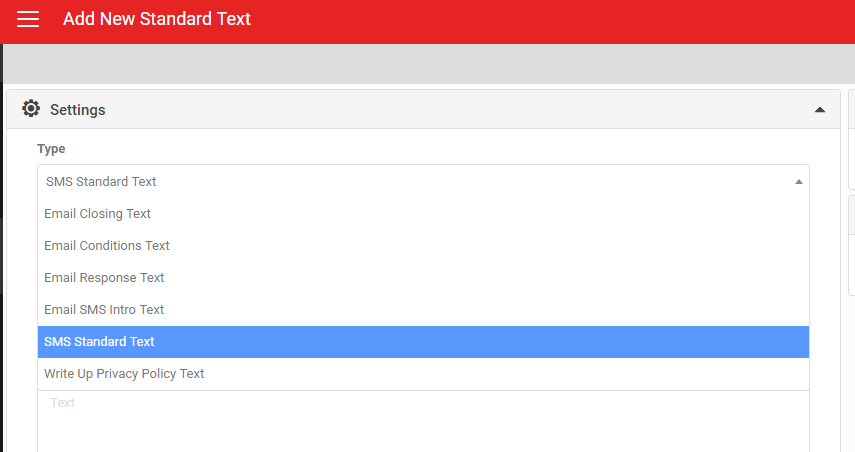
Choose a Type for the record. The Type controls which fields the Standard Text is available on. For standard email templates, only Email Response Text applies, since this populates the Message field. Other email templates include modules where you can add Closing, Conditions and other text.
Set who can see it
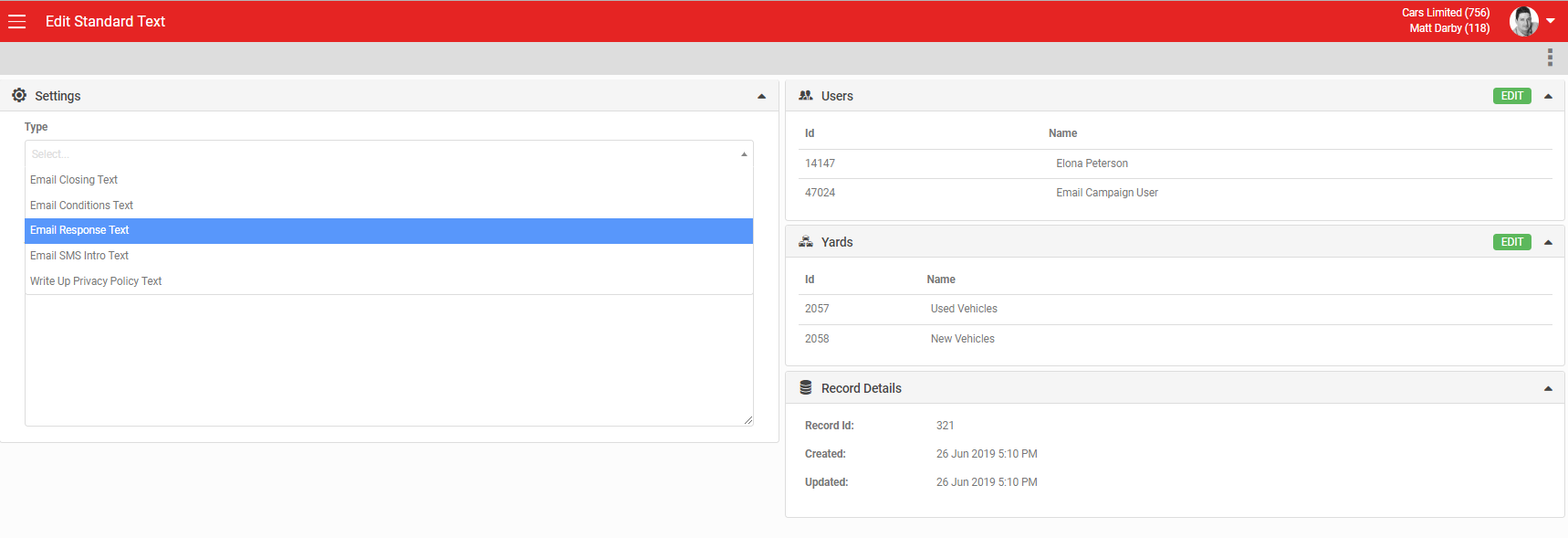
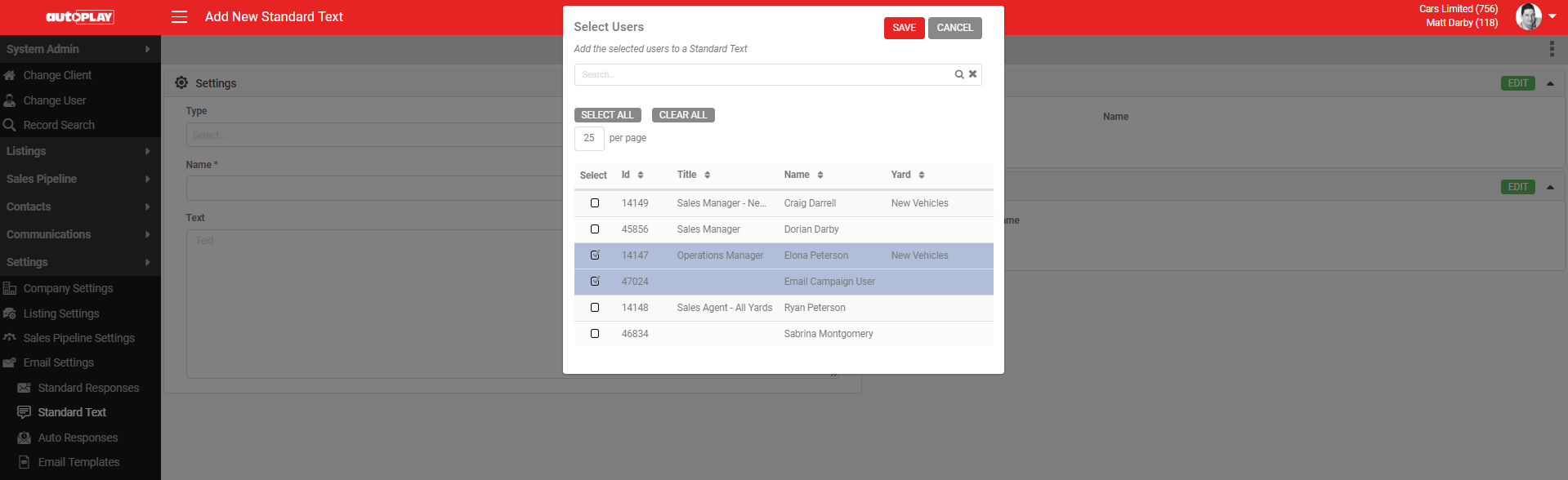
Click the green EDIT button in the Users section to choose which users see this Standard Text record. Select All to make it visible to all users, or tick individual users. The user list you see is controlled by the users you share the Manage Leads role with.
Click EDIT in the Yards section to set which yards the Standard Text is visible in. As with users, you can set it to one, multiple or all yards.
Delete or audit a record
Click the MORE icon in the grey action menu to:
- Delete: delete the Standard Text record.
- Audit: if you have the Audit role, view a record of all changes made to the Standard Text record.
SMS Standard Text
You can also set up SMS Standard Text. The process is the same as for other Standard Text, except you select the Type "SMS Standard Text".