
Control exactly which listings export to Trade Me, either from a dedicated dashboard or from within an individual listing.
Prerequisites
Your dealership needs the Trade Me Export role enabled. This isn't something you can turn on yourself - email support@autoplay.co.nz and we'll enable it, then add the specific users who should have access to the dashboard.
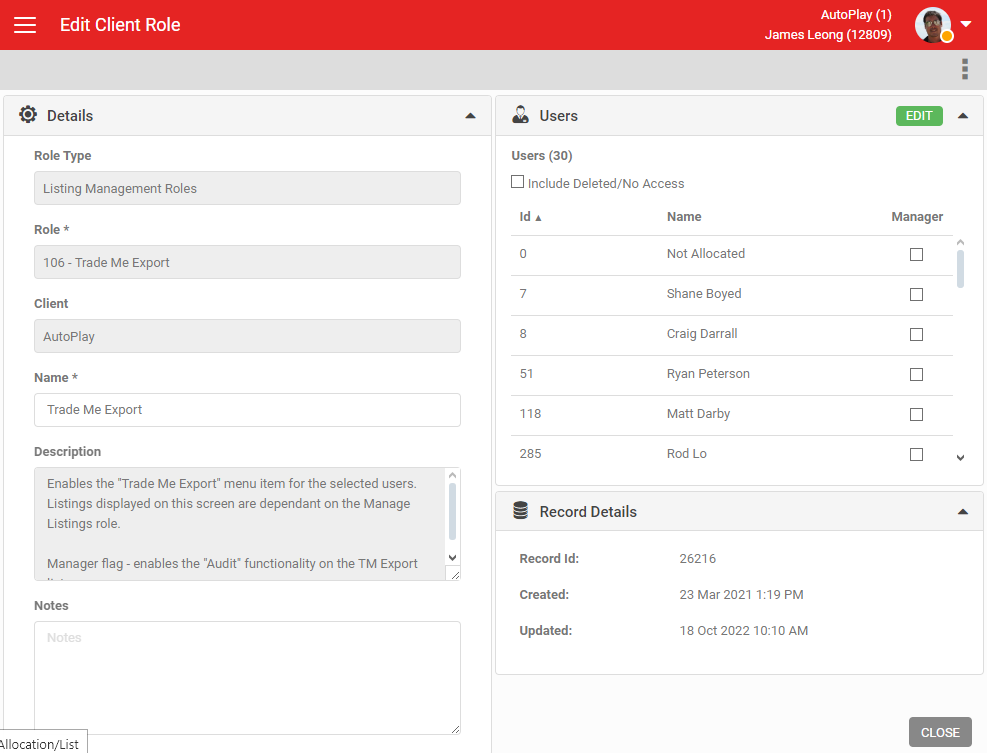
The Trade Me Export dashboard
With the role enabled, you get a dedicated dashboard under Listings in the left-hand navigation. Access is user-based, so only users added to the role can see it.
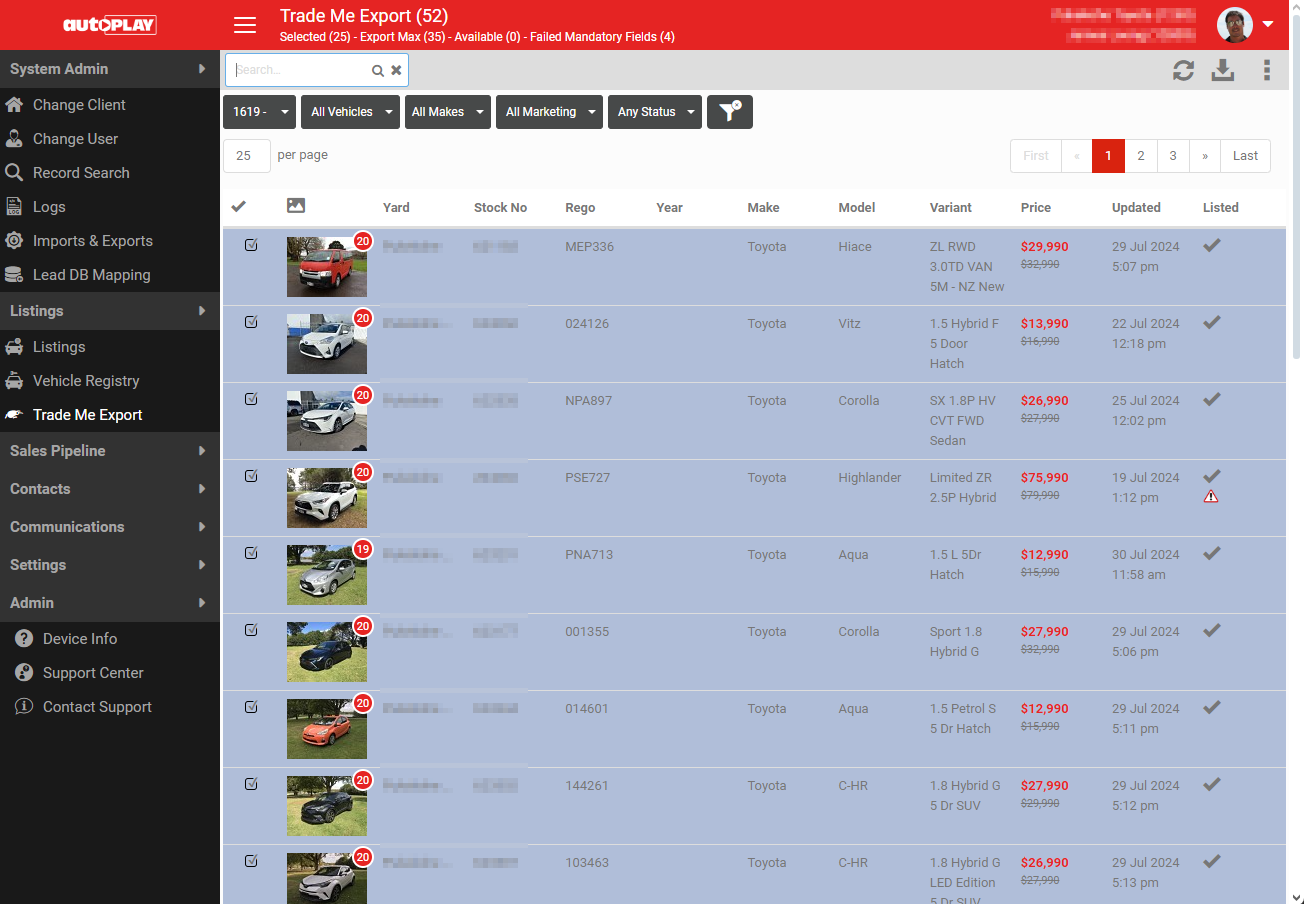
The dashboard shows:
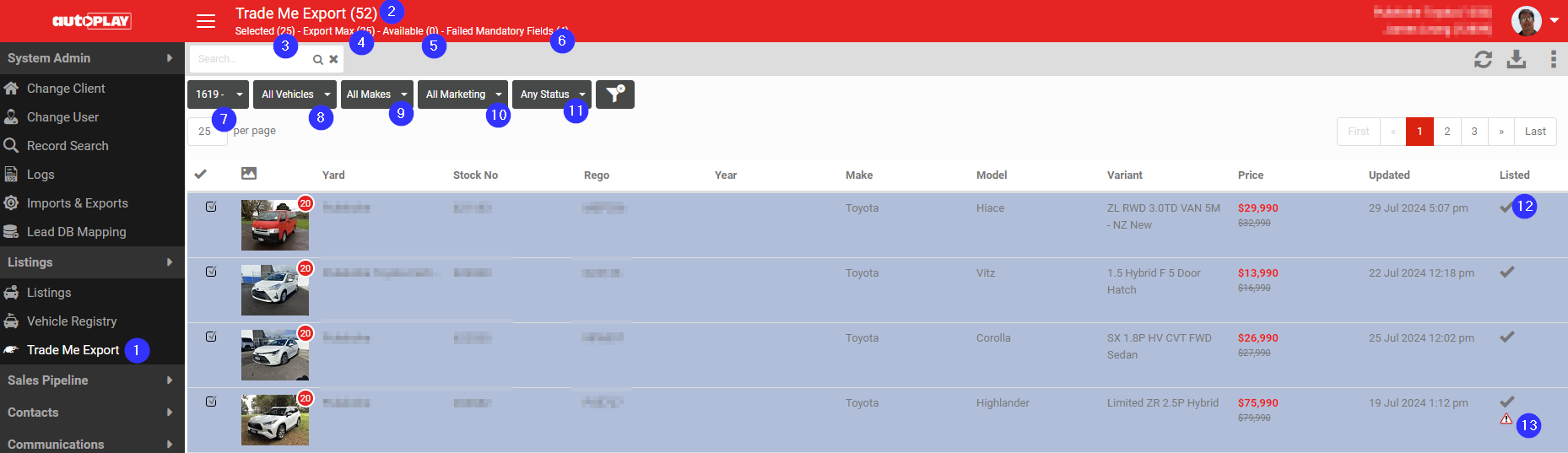
- Trade Me export navigation menu
- Count of listings available for export
- Number of vehicles currently selected for export
- Your Trade Me account limit
- Number still available within that limit
- Listings that have failed minimum requirements
- Export selection, if your account has multiple exports
- Vehicle Display filter: All Vehicles, Listed, Failed Mandatory Fields, Has Export Errors, Available
- Vehicle Make selection
- Trade Me Options filter: All, In Transit, Available To Order
- Status filter: Selected, Unselected
- A tick indicates the listing is currently online on Trade Me
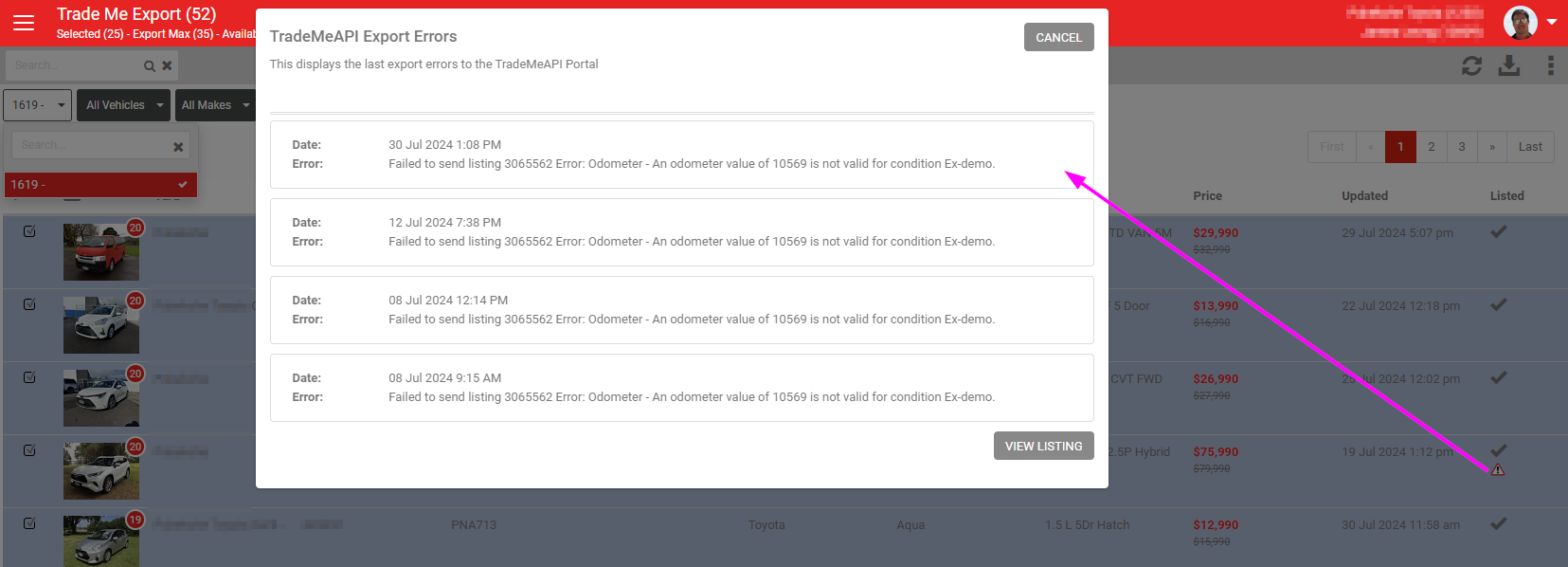
- Warning triangles give more detail when clicked
If you run multiple Trade Me accounts, use the filters to switch between them.
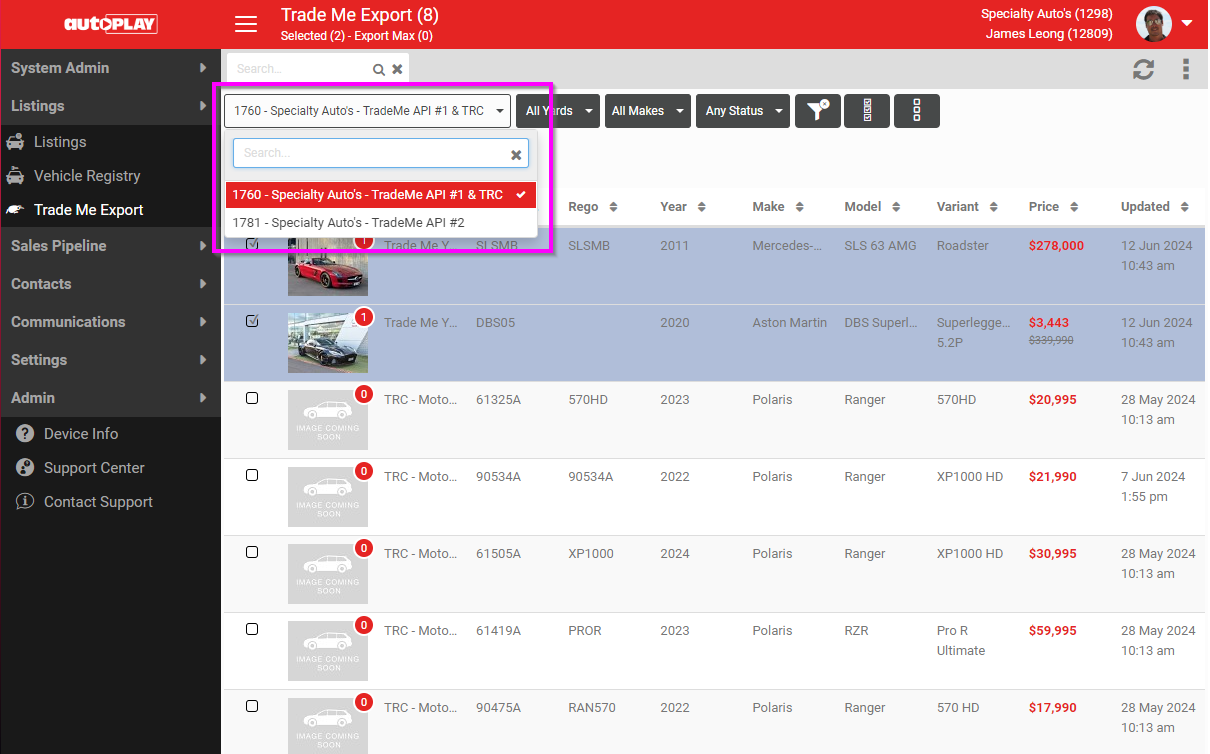
Any listing selected on this dashboard is sent to Trade Me. Listings that fail minimum requirements or have export errors are flagged with a warning triangle. Click the triangle for more detail on the error.
Other ways to export a listing to Trade Me
From the listing detail screen
In the General section of an individual listing, there is a manual Trade Me selection checkbox. Tick it and save the listing to include it in the export.
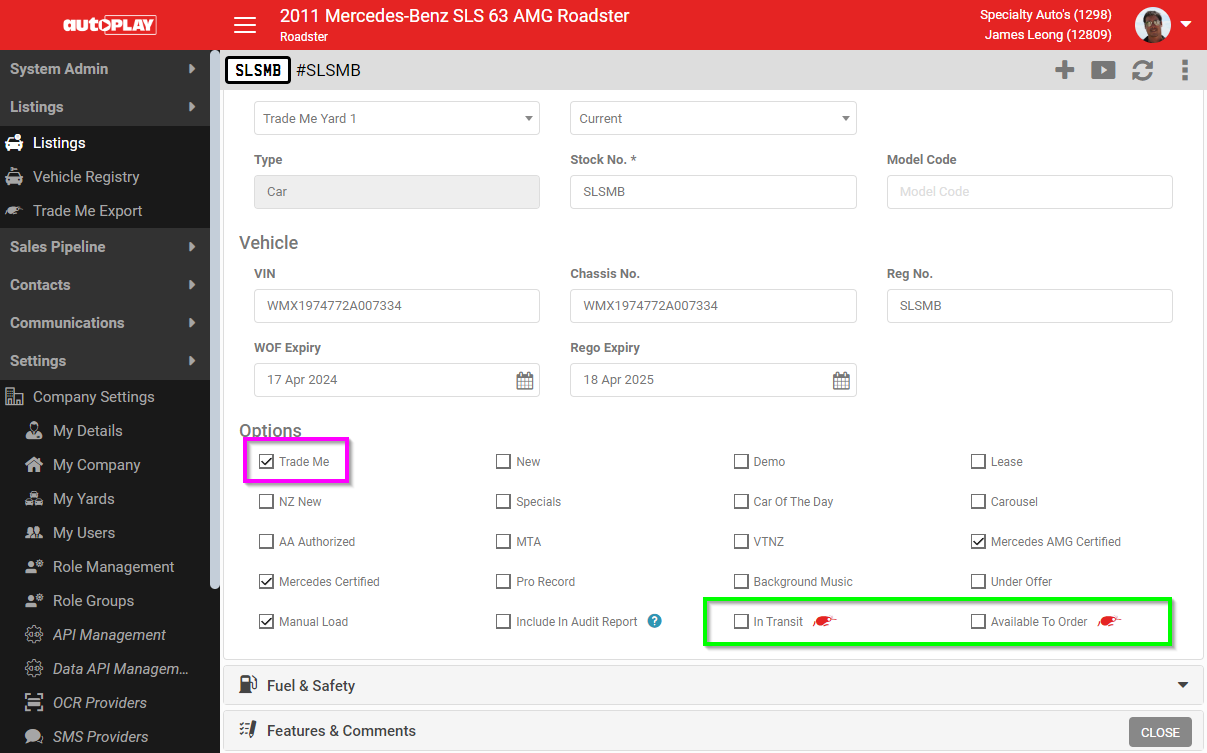
Two Trade Me options in green are only visible when Trade Me export is enabled on the dealership account.
Force Trade Me Export
From the listing detail page, use the three-dot menu: Exports > Export to Trade Me.
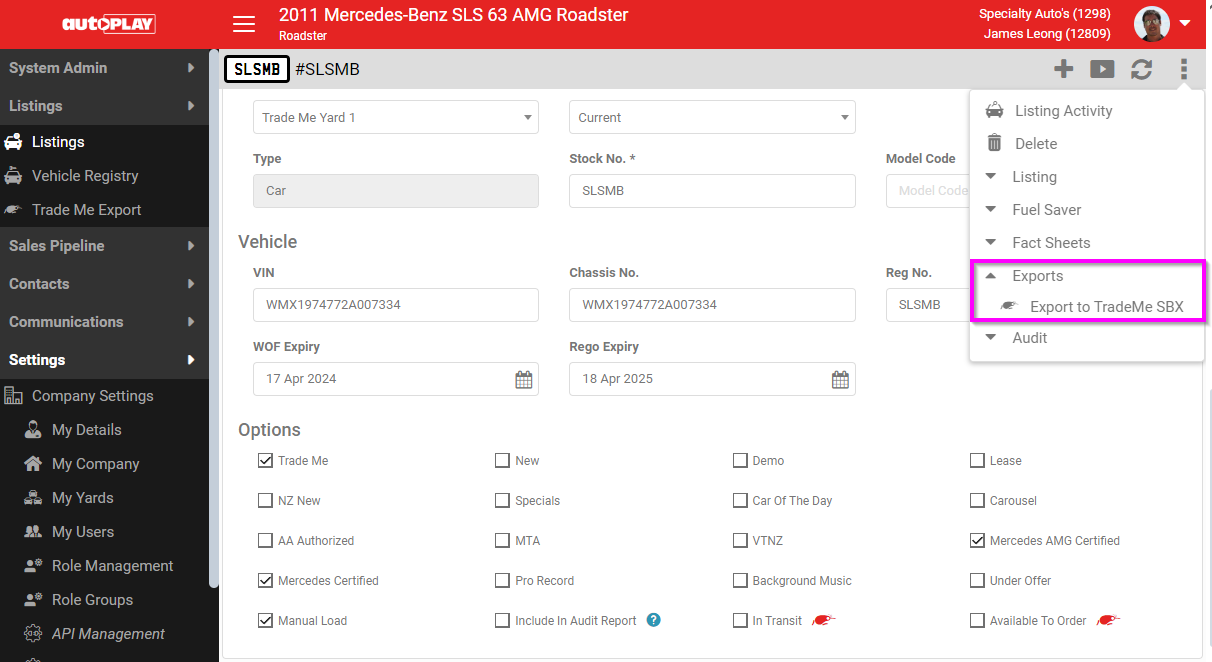
You can also withdraw a vehicle from Trade Me manually here if it is currently online. Save any other pending changes on the listing first, or the export will not run.
Vehicle export limits
AutoPlay checks your Trade Me account's vehicle limit hourly via the Trade Me "Branch" call, and applies one of two validation rules to keep you within it:
- Hard: vehicles over the account limit cannot be marked for export.
- Soft: a warning appears when a selection would exceed the account limit, but the vehicle can still be selected and exported.
- Email support@autoplay.co.nz to have this set to Hard or Soft for your account.