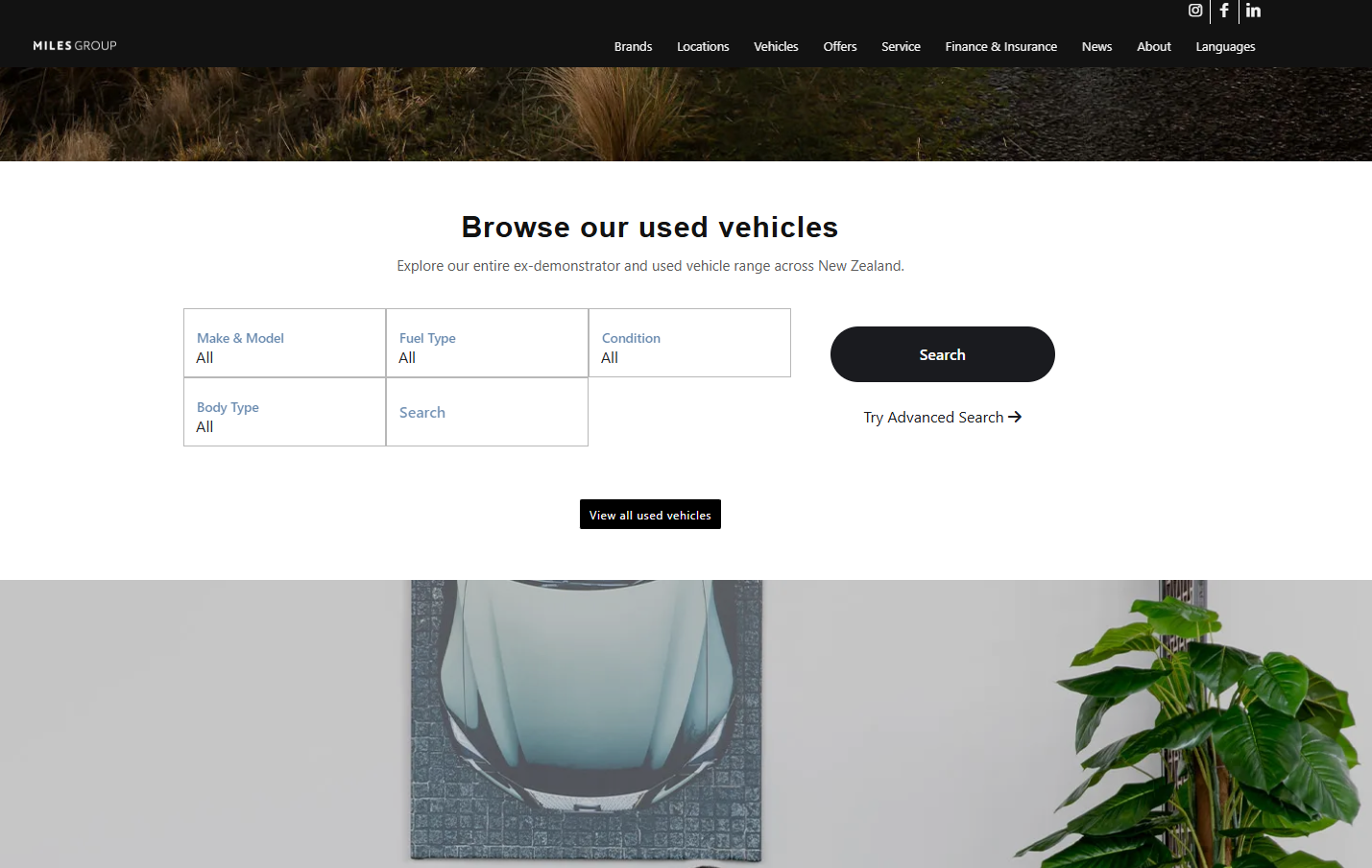
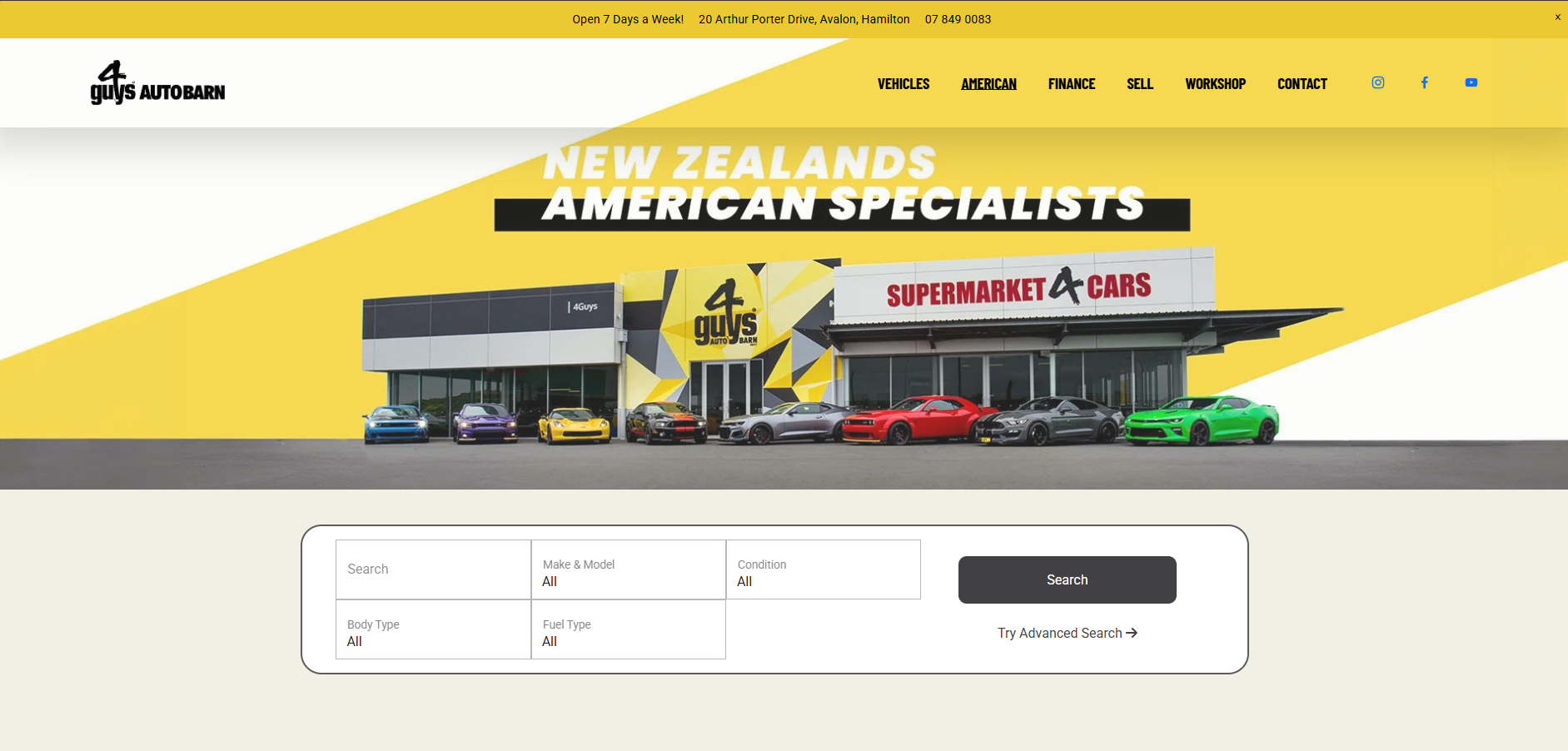
The AutoPlay Vehicle Display Page (VDP) is a templated, plug-and-play listing solution. We provide ready-to-use scripts that display your vehicle inventory directly on your website, without custom development.
Once the scripts are placed, your listings appear automatically and stay up to date, pulling live data from AutoPlay. This suits dealerships that want a clean, modern vehicle listing experience without the cost or time of a fully custom build.
What AutoPlay provides
Auto-updating inventory
- Vehicles are pulled directly from AutoPlay.
- Listings update automatically as stock changes, with no manual updates required once live.
- You can choose which yards display on the VDP.
Core VDP page types
Real-world examples of these pages:
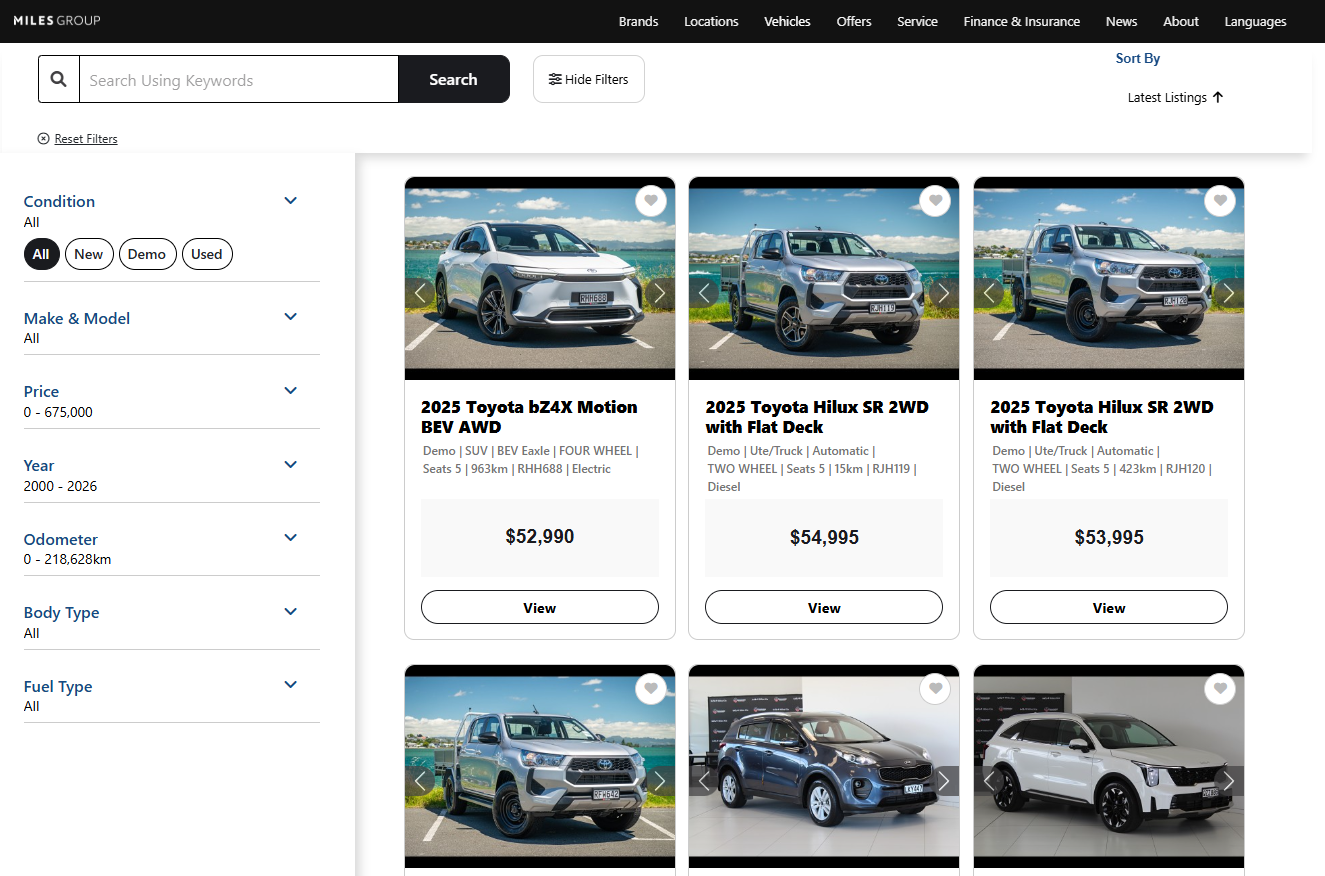
- Miles Group: milesgroup.co.nz/used-vehicles
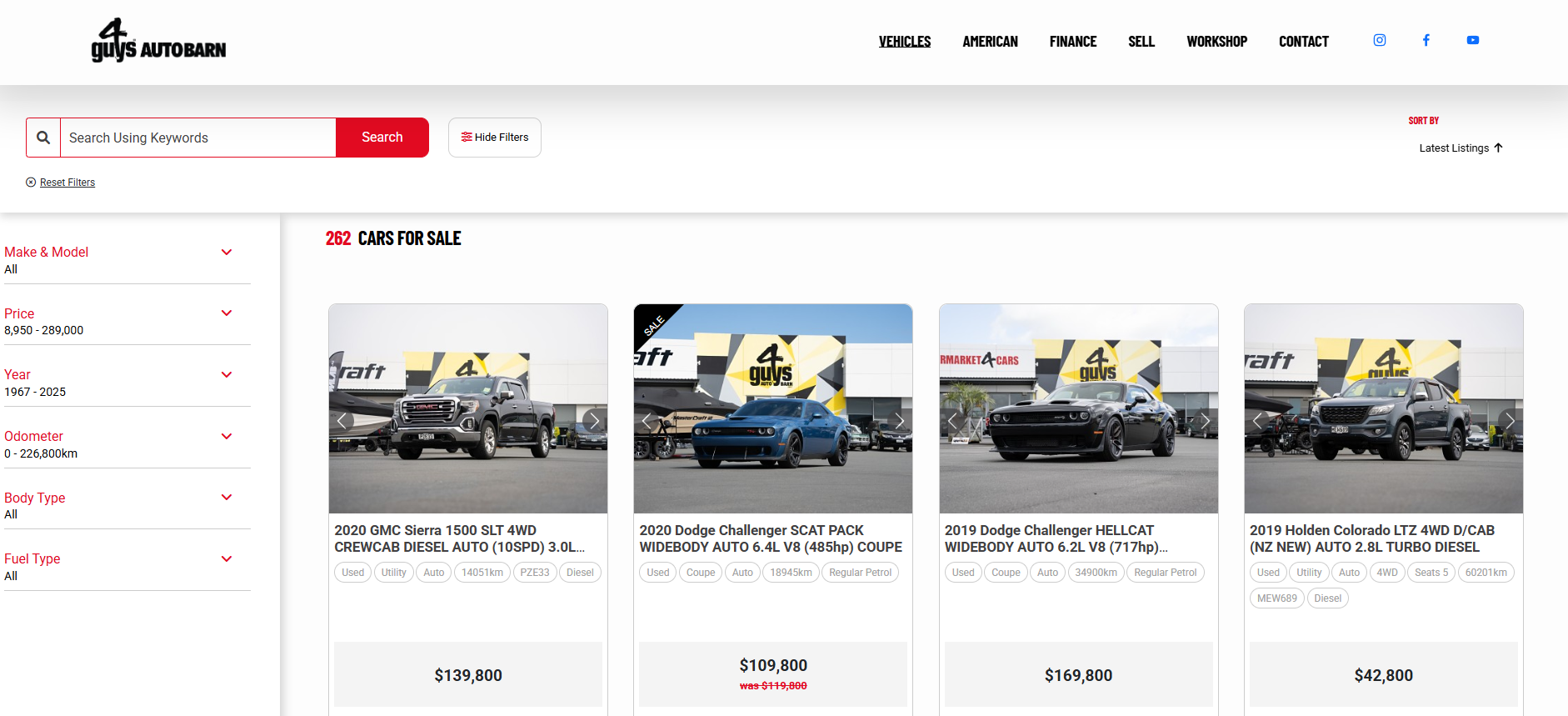
- 4 Guys: 4guys.co.nz/vehicles
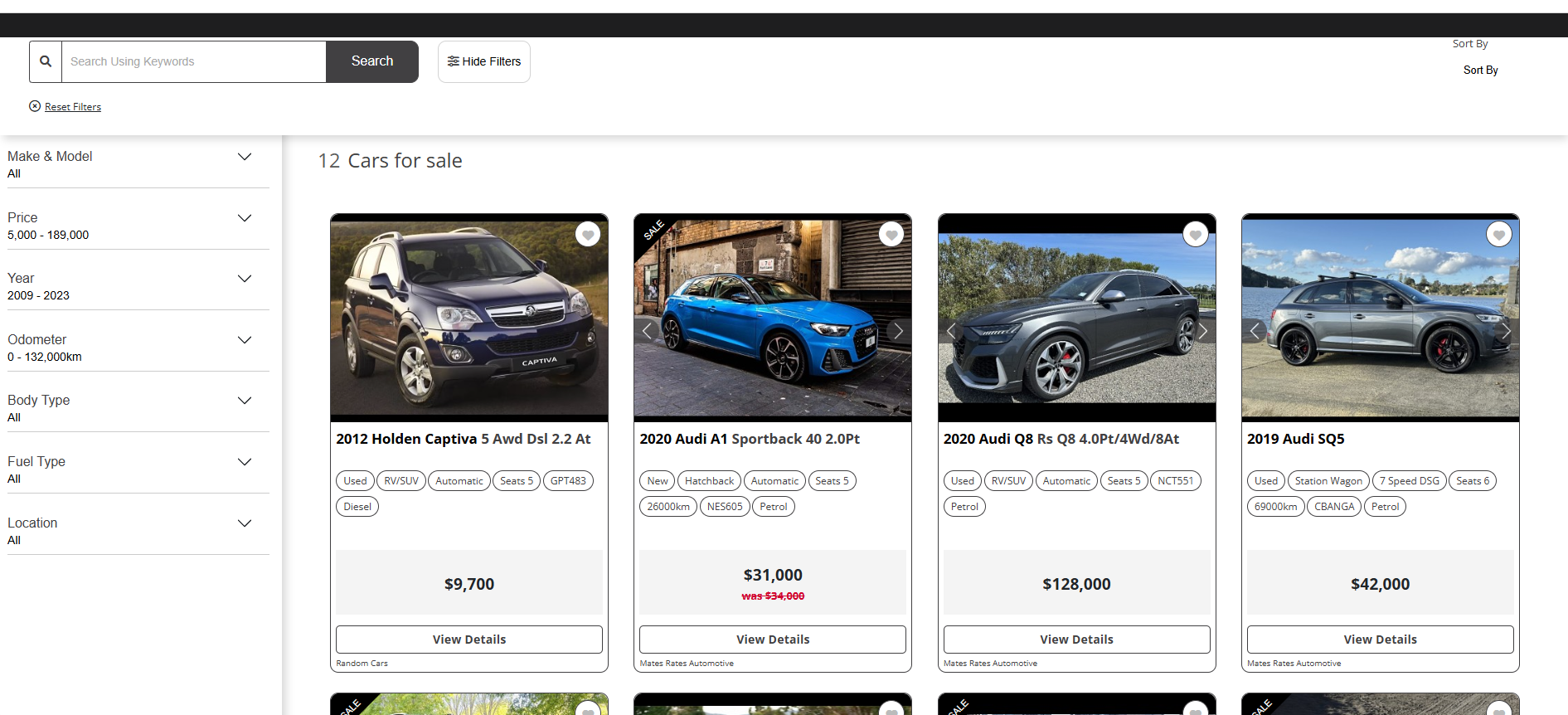
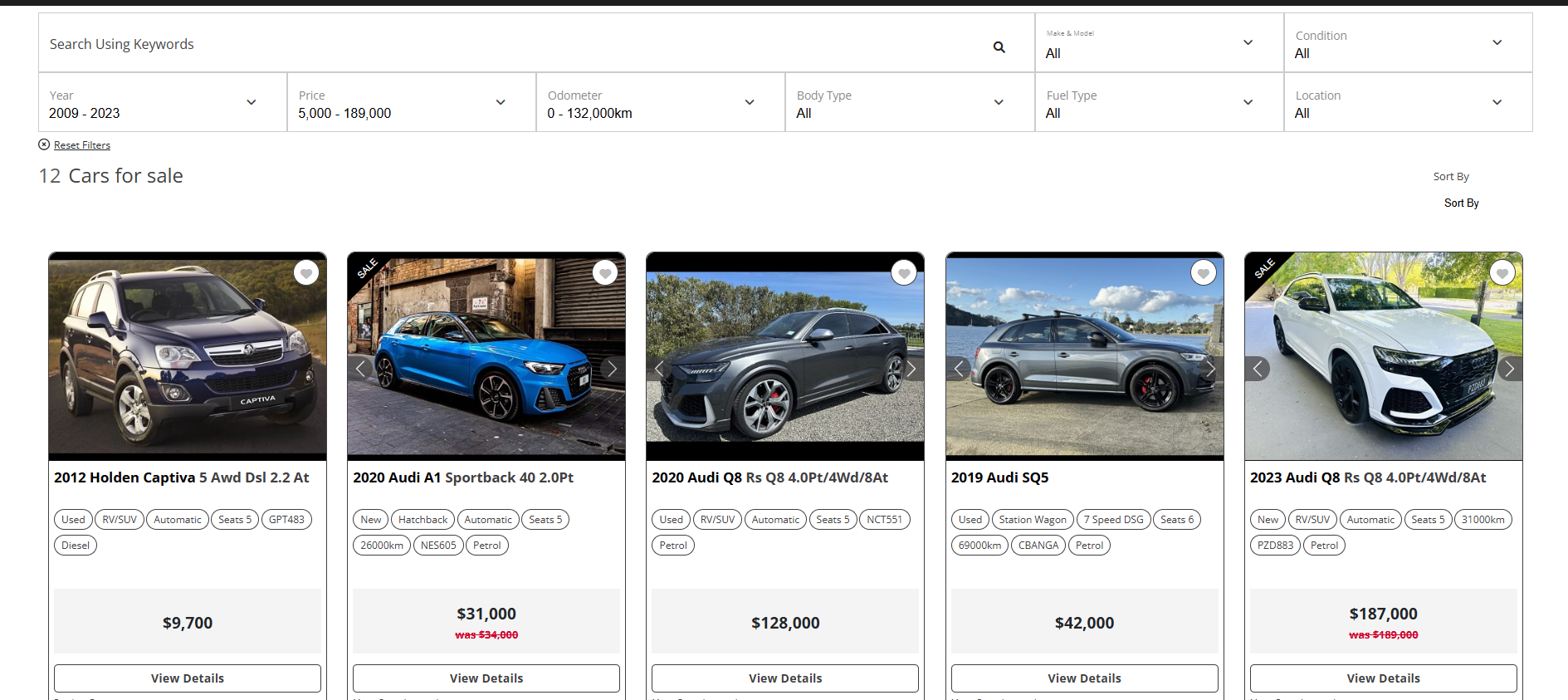
1. Primary Search Page: a searchable listing page where customers can filter by price, make, model, year and mileage, sort results, and browse inventory in a grid layout. You can choose a horizontal filter bar that disappears on scroll, or a persistent vertical filter on the left.
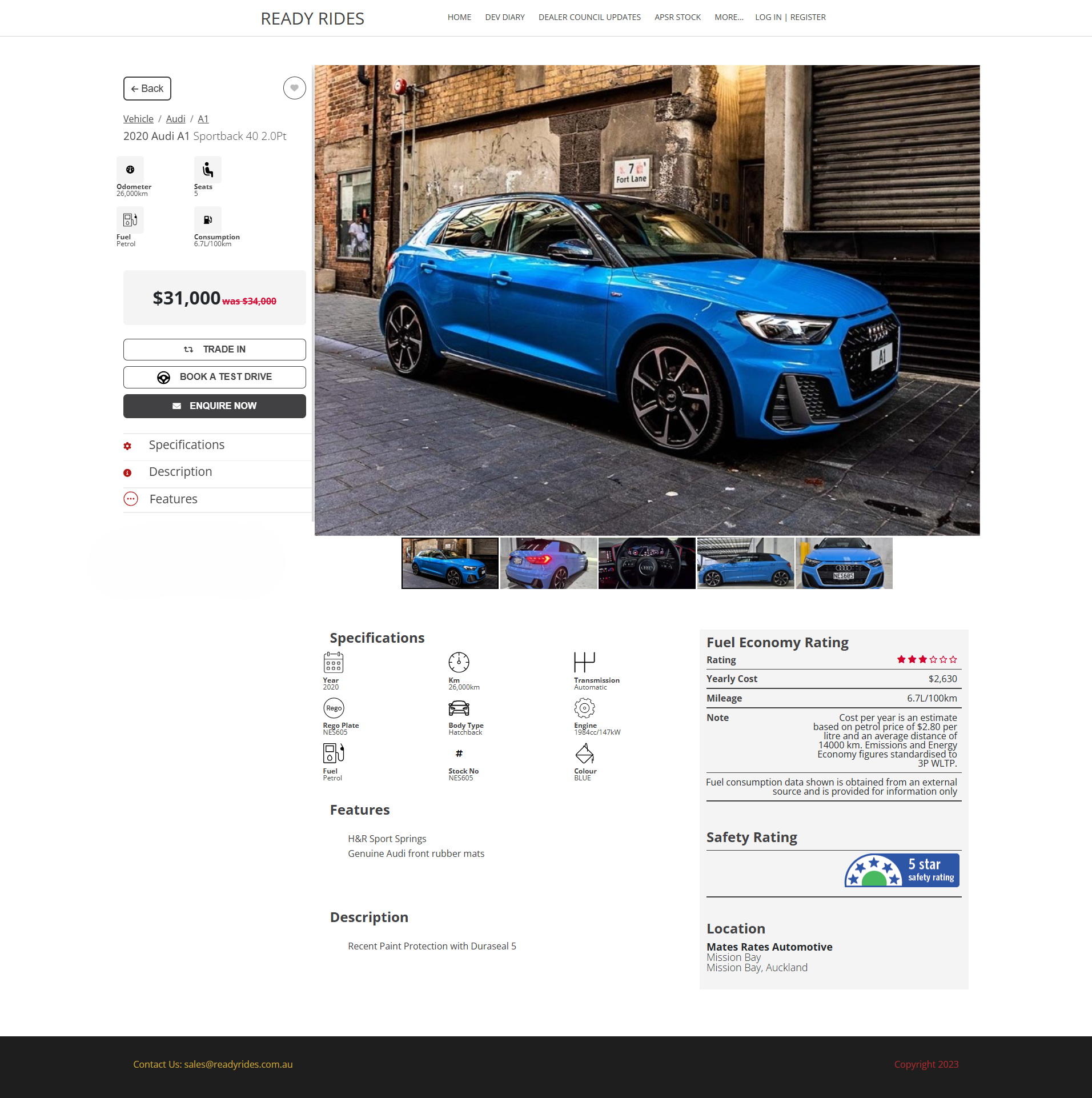
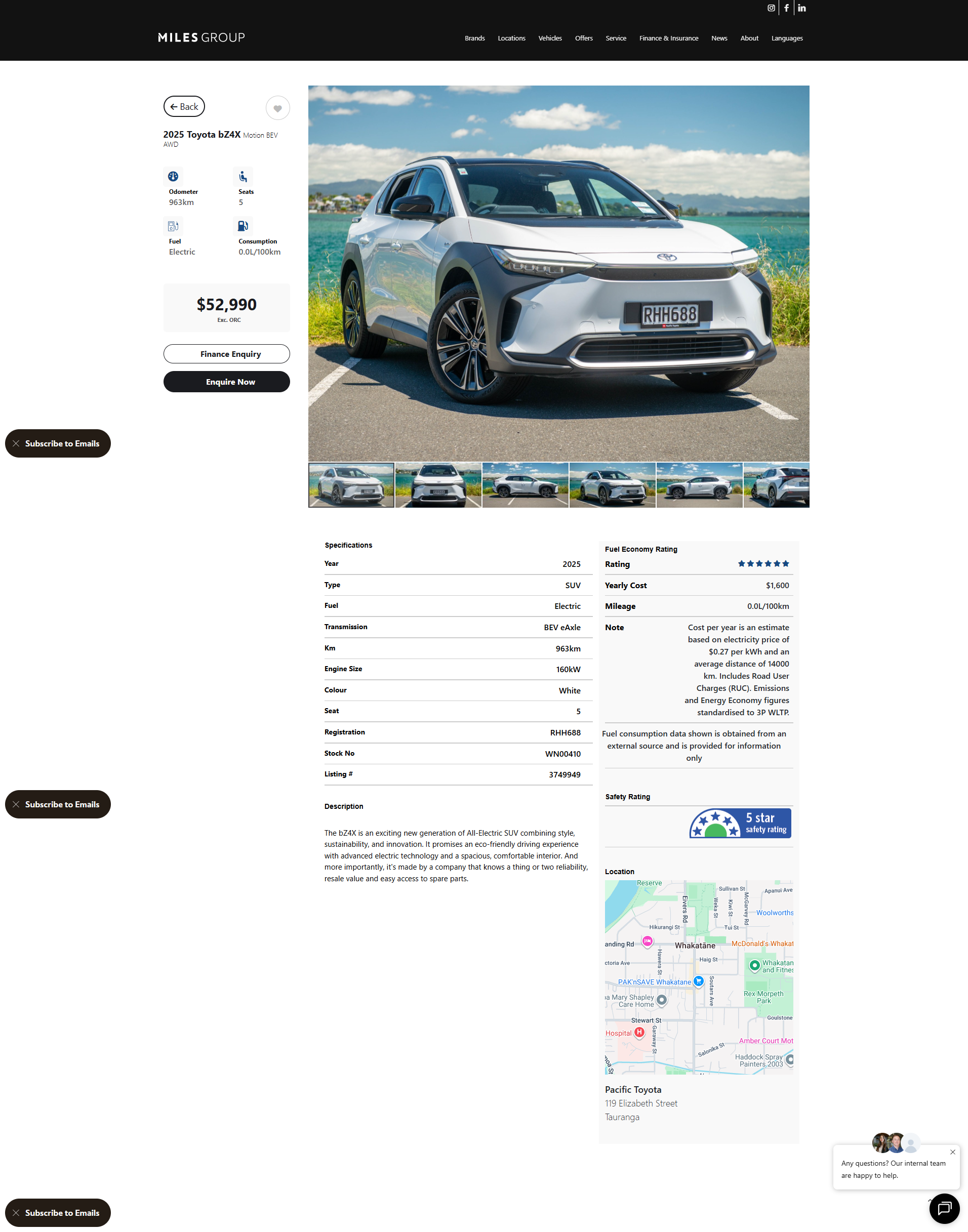
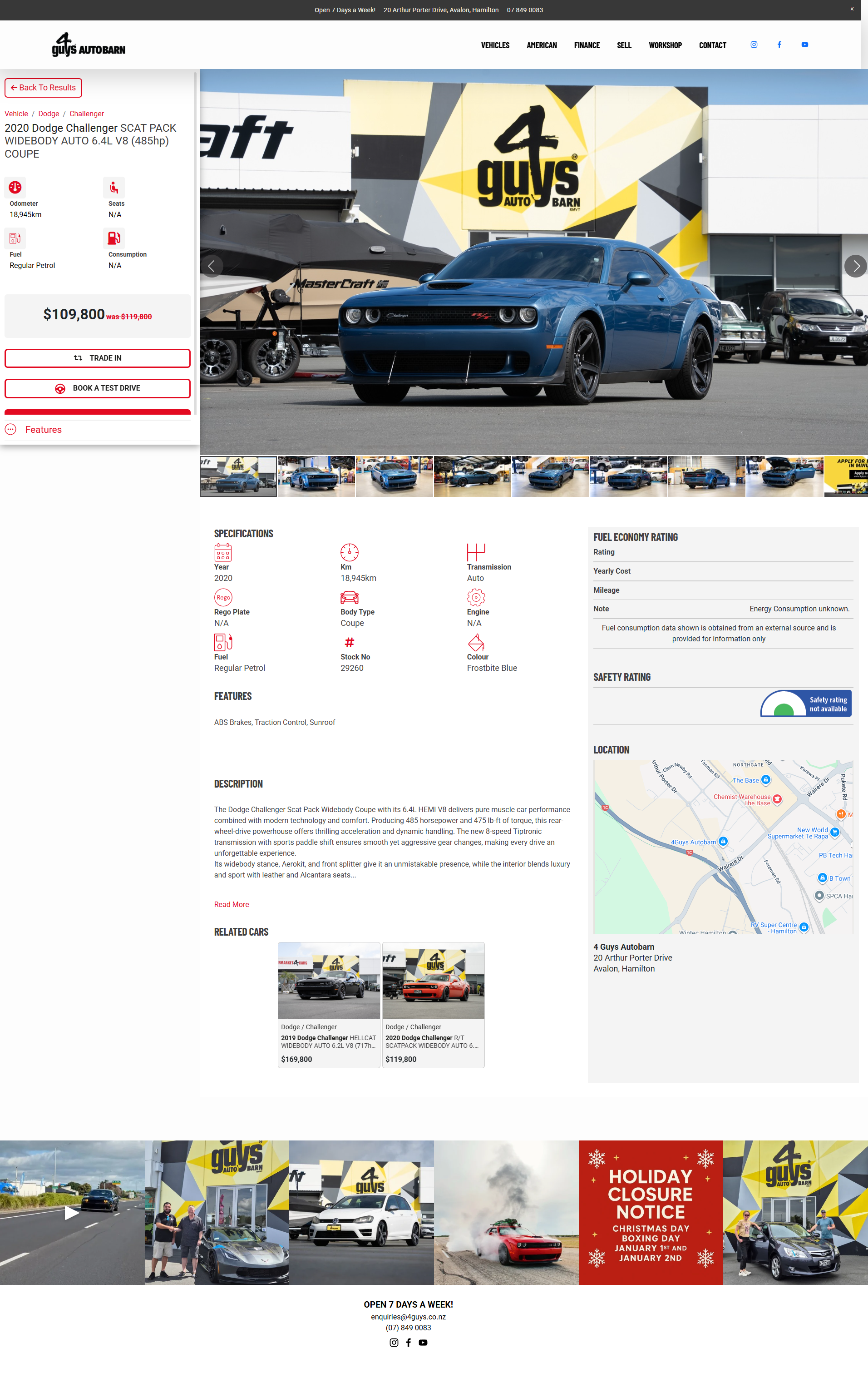
2. Vehicle Detail Page: an expanded view of a selected vehicle, with a full image gallery, specifications and features, pricing and key highlights, and calls to action such as enquire or favourite.
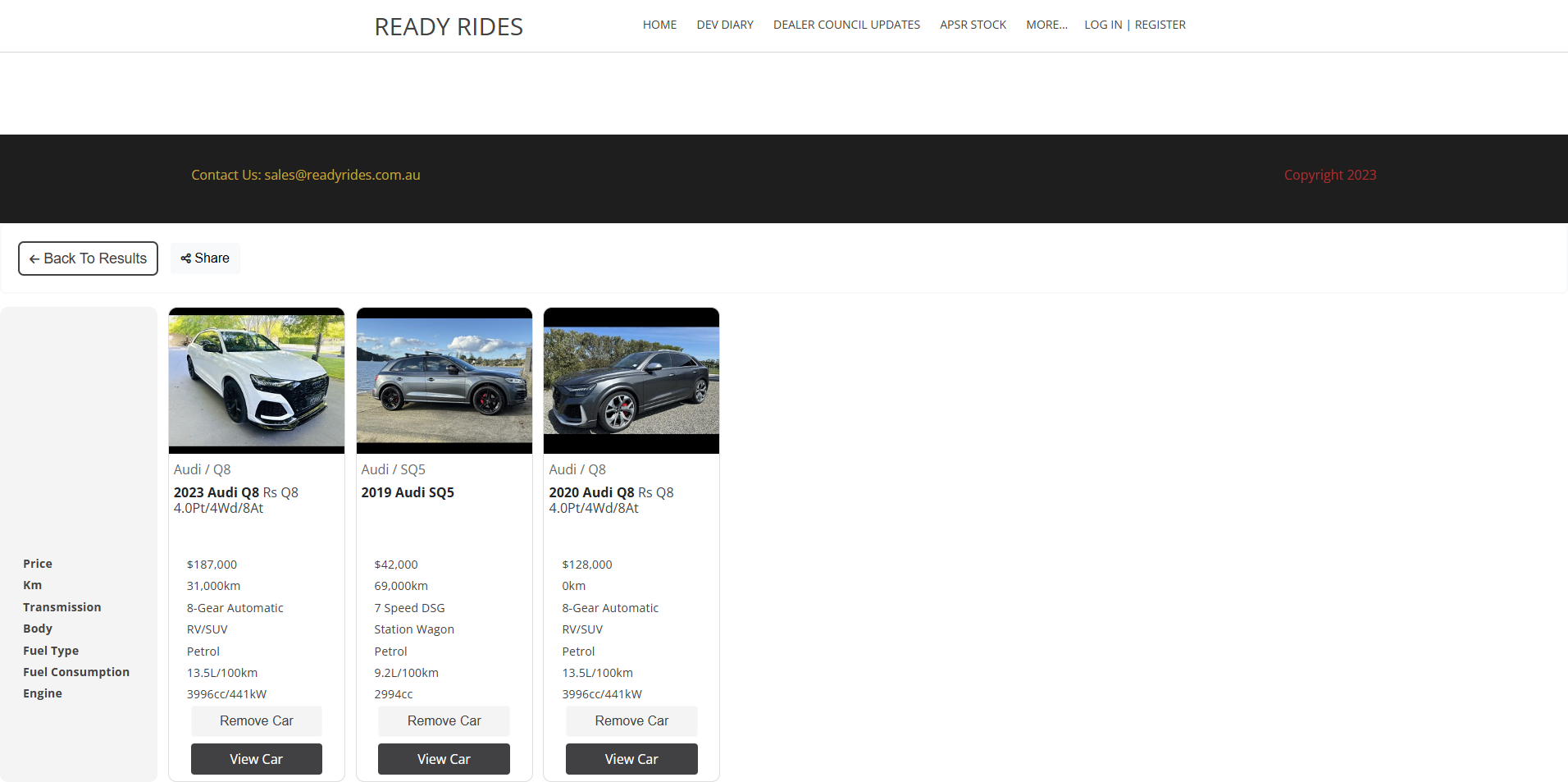
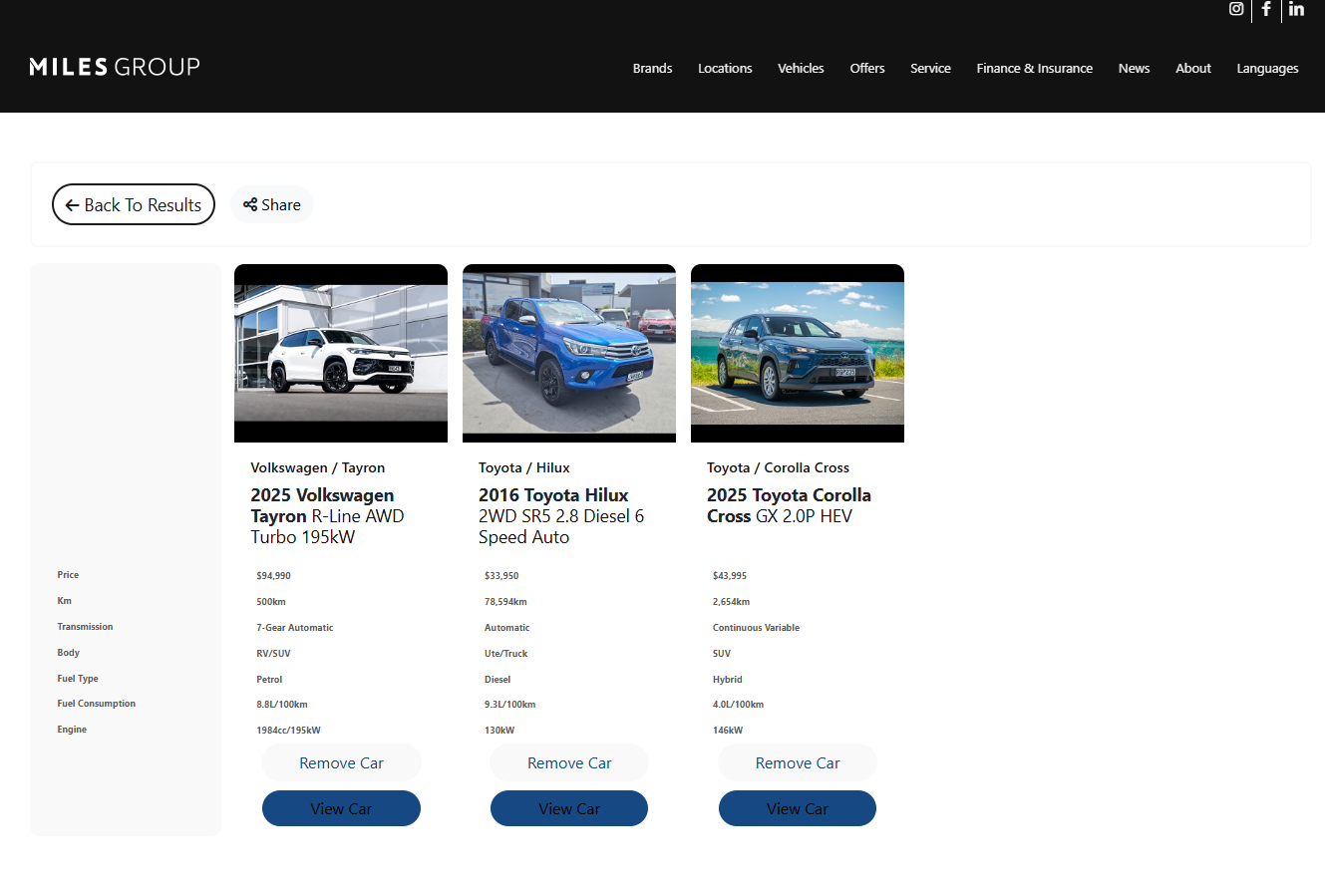
3. Favourites Page: customers can heart vehicles they like, compare saved vehicles side by side, and return later to review their shortlist.
4. Embedded Search Box: a compact search component that can sit on a home page, landing page, or brand/promotional page, with its own custom search filters.
Styling and customisation
The VDP is a templated solution, so styling options are intentionally limited to keep it stable and fast. You can customise:
- Primary and secondary button colours
- Filter highlight colours
- Search bar layout (horizontal or vertical)
- Custom search filters for specific makes, models or categories
- Which filters and buttons show
The VDP is not designed for fully custom UI or UX builds. If you need an advanced custom layout, ask about the Listing API instead.
Ongoing improvements
VDP pages are actively maintained and improved. If you have a feature request, submit it for discussion and possible future development.
Next steps to go live
To begin setup, we need:
- Confirmation of which yards or sites to include
- The URLs where scripts will be placed (temporary testing URLs are fine, or we can provide temporary pages on our own test site for review)
- Primary and secondary theme colours, as hex values
- Default sort order for the display page (ascending or descending by Price, Latest, Year, Make or Odometer)
If your site is already live, we recommend creating staging pages hidden from navigation while you test.
Client details required, including the full URL with https://:
- Search Page URL
- Vehicle Detail Page URL
- Favourites Page URL
- Primary hex colour
- Secondary hex colour
Defaults can be applied initially and adjusted once you have reviewed the live pages.
Screenshot examples
1. Vehicle search page
Shows the overall look and browsing experience.
2. Vehicle detail page
Gives the customer expanded vehicle information and a way to contact the dealership.
3. Favourites / saved vehicles page
Gives the customer a quick side-by-side comparison of saved vehicles.
4. Embedded search box example
Shows how the VDP search component sits inside an existing page.